
Creality SPARKX i8: Everything You Need to Know About the 4-Color 3D Printer

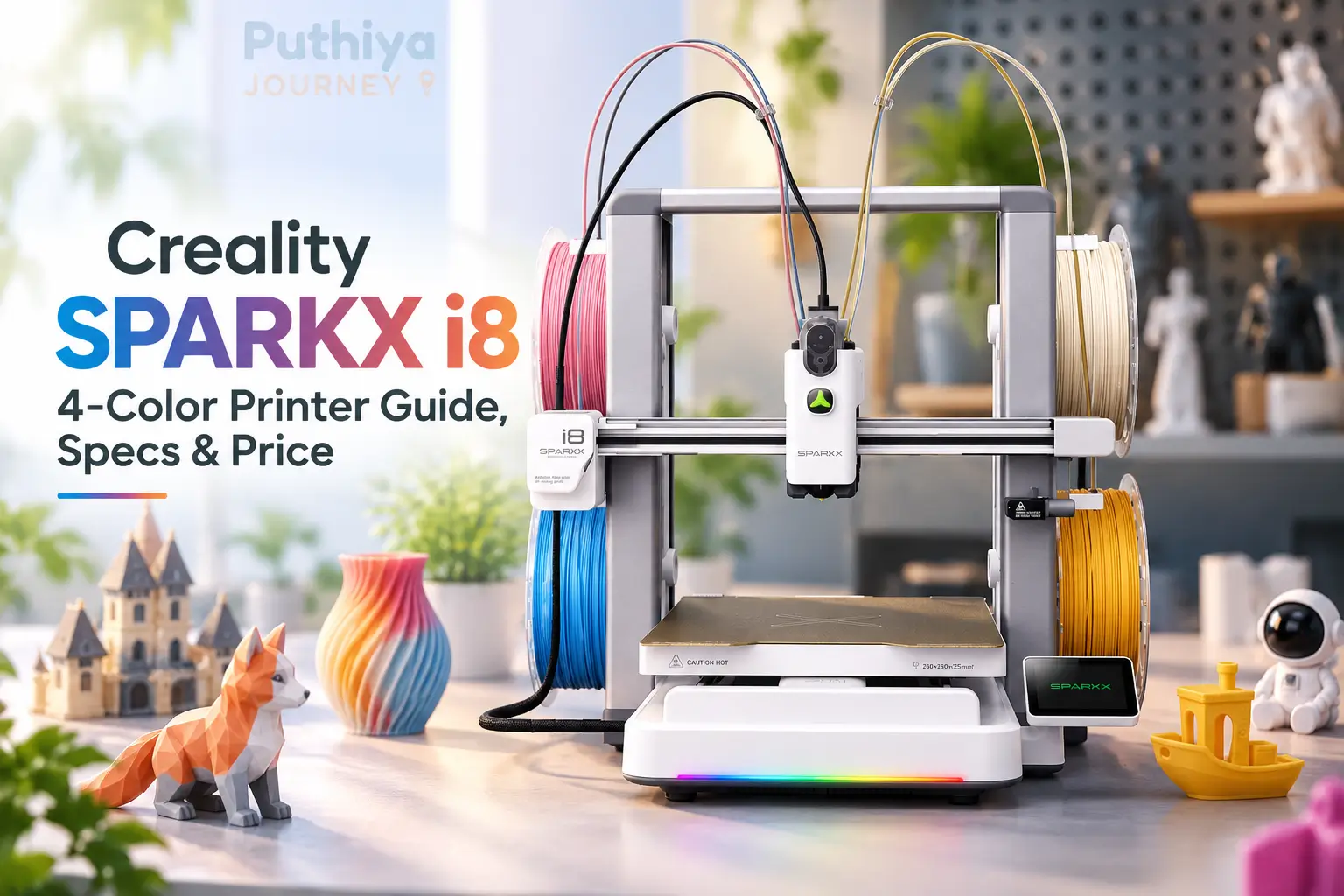
The desktop FDM printer market has been solving the same multicolor problem for years: how do you switch between filament colors quickly, cheaply, and without generating a pile of wasted plastic? Most solutions involve trade-offs — external feeders that flush long filament paths, multiple toolheads that require careful calibration, or nozzle-changers that add mechanical complexity.
The Creality SPARKX i8 takes a different approach. It routes all four filament channels directly into a single printhead and claims to switch between colors in under one second — without the external filament units, purge towers, or lengthy pause cycles that characterise most competing multicolor systems.
This guide covers everything officially confirmed about the SPARKX i8: how its four-color system works, what the specifications actually mean, how it compares with the SPARKX i7, what the performance claims check out to on closer reading, and what Indian buyers should know. Where manufacturer claims and independent analysis diverge, this article says so clearly.
Quick Reference: Creality SPARKX i8 Specifications
| Specification | Confirmed Value |
|---|---|
| Manufacturer | Creality (SPARKX sub-brand) |
| Printer Type | FFF (Fused Filament Fabrication), open-frame bedslinger |
| Build Volume | 260 × 260 × 255 mm |
| Max Print Speed | 500 mm/s (claimed) |
| Max Acceleration | 10,000 mm/s² (claimed) |
| Multi-Color System | QuarTeks™ — integrated four-channel single toolhead |
| Number of Colors | Up to 4 |
| Color Switch Time | Under 1 second (claimed) |
| Nozzle Diameter | 0.4 mm |
| Hotend Max Temperature | 300 °C |
| Heated Bed Max Temperature | 100 °C |
| Auto Leveling | 81-point auto leveling with auto Z-offset |
| Build Plate | Dual-sided gold textured PEI, magnetic |
| Camera | 720p, up to 30 fps, with auxiliary light |
| Display | 2.85-inch, 640 × 480 touchscreen |
| Storage | 8 GB MicroSD (included) |
| Connectivity | 2.4 GHz Wi-Fi, SD card |
| Noise Level | ≤ 45 dB |
| Machine Dimensions | 467 × 423 × 456 mm |
| Net Weight | 9.72 kg |
| Slicer | Creality Print 7 or later (Windows, macOS, Linux) |
| Enclosure | No (open frame) |
| Assembly on Arrival | 90% pre-assembled |
All specifications sourced from Creality’s official SPARKX i8 product page.
What Is the Creality SPARKX i8?
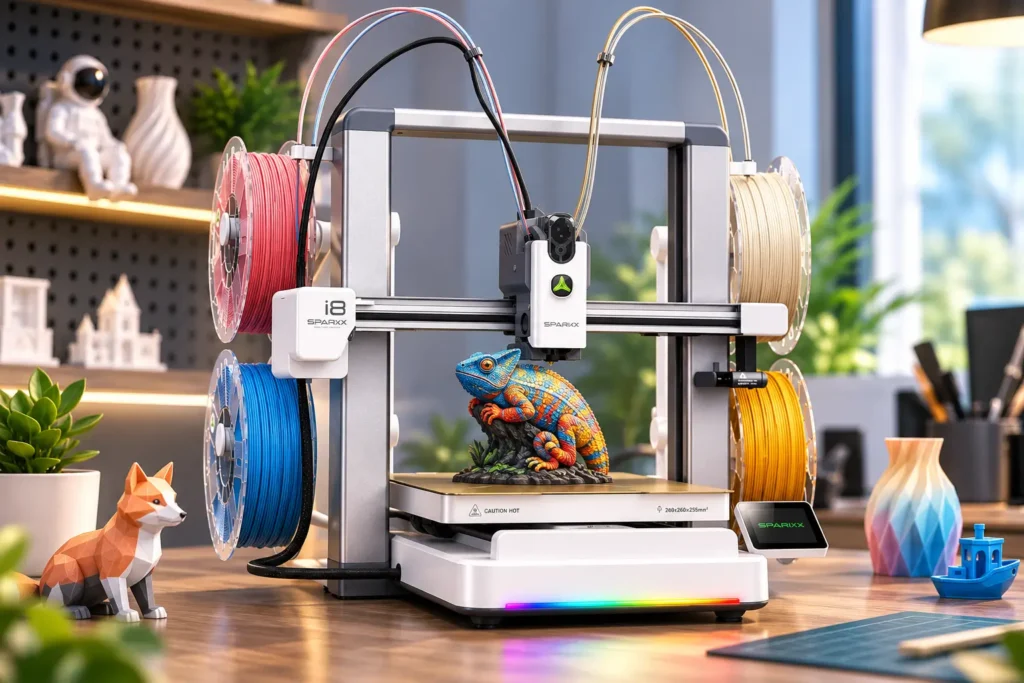
The Creality SPARKX i8 is a four-color FDM desktop 3D printer built on an open-frame bedslinger platform, distinguished by its QuarTeks™ multicolor printing system. QuarTeks integrates all four filament channels into a single shared printhead, allowing the printer to switch between colors without an external multi-spool unit and without the lengthy purge cycles associated with conventional filament-switching systems.
Creality announced the i8 on 19 August 2026 under the SPARKX sub-brand — a product line designed to make modern 3D printing features more accessible to makers, hobbyists, and beginners. The SPARKX name was introduced with the i7 earlier in 2026 and positions these printers as experience-first machines with an emphasis on multicolor capability and ease of use.
The i8 is essentially the SPARKX i7’s mechanical platform with a new printhead. The chassis, build volume, speed, camera, display, and build plate are unchanged from the i7. What changed is the heart of the multicolor system: where the i7 used an external CFS Lite unit that feeds filament through a tube-based system, the i8 moves all four color channels directly into the toolhead itself.
How the QuarTeks™ Four-Color System Works
QuarTeks™ is Creality’s name for an integrated four-channel single-toolhead design that keeps all four filament paths separate until just before the nozzle.
This is the SPARKX i8’s defining technology, and understanding how it works helps explain both its advantages and its limitations.
The Core Idea: Shorten the Shared Path
In a conventional multicolor printer that uses a single nozzle with an external spool system, each filament color travels down a long shared tube before it reaches the hotend. When the printer needs to switch from red to blue, it must push the red filament all the way back up and feed blue filament down until the output runs clean. This takes time and wastes material — the purged filament typically goes into a “purge tower” on your build plate, which is discarded after printing.
According to Creality, QuarTeks addresses this by running all four filament channels individually and continuously to the hotend, merging them at a point just under 1 mm from the nozzle. With such a short shared section, the amount of residual filament left in the shared path at any color change is minimal. The printer does not need to purge a long tube — it only needs to flush that tiny 1 mm zone.
Sub-One-Second Switching
Creality claims the i8 can switch between color channels in under 1 second. This is faster than any external-feeder approach because there is no long-distance filament travel required. The four channels are always primed and ready at the hotend — the printer selects which channel is active rather than physically loading a different filament.
The 13-Sensor Printhead
According to Creality, the QuarTeks printhead contains 13 intelligent sensors that monitor all four filament channels in real time. These sensors track runout, slipping, and air-printing conditions across every channel simultaneously, allowing the printer to detect problems before they cause a failed print.
It is worth noting that Creality’s official specification table lists “Auto Leveling, Filament Runout” as the formal sensor specification — the 13-sensor figure appears in marketing copy. The distinction matters: the core sensor functions are confirmed, but the exact sensor count is a marketing figure rather than a formally verified technical specification.
“0 g Waste” — What It Actually Means
Creality markets the SPARKX i8 as producing “0 g of external purge waste.” This claim requires careful interpretation.
The purge material is not eliminated — it is redirected. On select models, the SPARKX i8 deposits purge material into the model’s own infill rather than onto a separate purge tower on the build plate. The infill is the internal structure of a 3D-printed part, which is typically hidden from view and does not affect the model’s external appearance.
This is a genuine improvement over purge towers — you are not wasting space on your build plate, and the purge material becomes part of the print itself. However, you are still consuming that filament — it is just consumed inside the model rather than thrown away. The “0 g” figure refers to external purge waste on compatible models, not to zero additional filament consumption.
As independent analysis from Makers101 noted, the purge material moves inside your print rather than disappearing — which is still a meaningful advantage, but a different one from the headline claim.
Creality SPARKX i8 Build Volume
The Creality SPARKX i8 has a build volume of 260 × 260 × 255 mm, confirmed by Creality’s official specification page.
This is a mid-range build volume for a desktop FDM printer. It provides enough space for the majority of hobby and maker use cases:
- Figurines and miniatures: Most pre-designed figurines fit comfortably within this envelope
- Functional household parts: Brackets, clips, organizers, tool holders, enclosures
- Decorative objects: Vases, frames, plaques, name signs
- Educational models: Anatomical parts, mechanical demonstrations, geometric forms
- Cosplay accessories: Small-to-medium props, badge holders, armour components
- Multicolor models: Game pieces, multi-part assemblies, color-coded items
At 260 mm, the longest single-piece print you can make is roughly the length of a standard ruler. For models that exceed this dimension, the standard approach is to split the design into multiple parts and assemble them after printing.
For multicolor printing specifically, the 260 × 260 mm footprint is the usable print space for a four-color job. The i8’s tower-free approach also means the full 260 × 260 mm is available for your model — unlike systems that reserve a portion of the build plate for a permanent purge tower.
According to Creality, on select models the i8 enables 100% build plate utilisation by burying purge material in the model’s infill rather than on a separate tower.
Creality SPARKX i8 Print Speed
Creality claims a maximum print speed of 500 mm/s and a maximum acceleration of 10,000 mm/s² for the SPARKX i8.
These are headline figures that require context to be useful.
What Maximum Speed Means in Practice
Maximum advertised print speed is the ceiling a machine can physically achieve under ideal conditions — typically on simple geometries, at a compatible layer height, with a fast material like standard PLA. The actual speed you print at during any given job depends on:
- Geometry: Curves, overhangs, small features, and tight details require slower speed to maintain accuracy
- Material: PETG, TPU, and flexible materials print at significantly lower speeds than fast PLA profiles
- Layer height: Lower layer heights (finer detail) reduce practical print speed
- Quality settings: High-quality surface finish profiles reduce speed; draft profiles increase it
- Model size: On very small models, the printer never reaches top speed because it decelerates for direction changes before hitting its maximum
The SPARKX i8 shares its 500 mm/s maximum speed with the i7 — same motor, same frame, same acceleration. The QuarTeks system adds multicolor switching speed, not printing speed. The i8’s speed advantage over other multicolor systems comes from reducing the time spent on color transitions, not from printing individual layers faster.
Creality’s own comparison data shows print time improvements that range from 1.25× to 6.2× compared to other multicolor approaches, depending on which system it is compared against and how many color changes a model requires.
Creality SPARKX i8 vs SPARKX i7: Full Comparison
The SPARKX i8 and i7 share the same mechanical chassis. The key difference is the multicolor system.
| Feature | SPARKX i8 | SPARKX i7 Combo |
|---|---|---|
| Multi-color system | QuarTeks™ (integrated 4-channel toolhead) | CFS Lite (external 4-spool feeder unit) |
| Colors | Up to 4 | Up to 4 |
| Build volume | 260 × 260 × 255 mm | 260 × 260 × 255 mm |
| Max print speed | 500 mm/s | 500 mm/s |
| Max acceleration | 10,000 mm/s² | 10,000 mm/s² |
| Auto leveling | 81-point auto leveling | Auto leveling |
| Hotend max temp | 300 °C | 300 °C |
| Bed max temp | 100 °C | 100 °C |
| Camera | 720p, 30 fps | 720p, AI camera |
| Build plate | Dual-sided gold textured PEI | Dual-sided gold textured PEI |
| Display | 2.85-inch | 2.85-inch |
| Weight | 9.72 kg | ~9.12 kg |
| Enclosure | Open frame | Open frame |
| Noise | ≤45 dB | ≤45 dB |
| Assembly | 90% pre-assembled | 90% pre-assembled |
| Slicer | Creality Print 7+ | Creality Print 7+ |
| Price | Not officially announced | ~$359 (US retail, Combo) |
| Availability | Not yet shipping (as of article date) | Shipping |
Which System Is Better for Multicolor Printing?
The core trade-off is architectural:
CFS Lite (i7 Combo approach): Filament is stored in an external unit and fed through tubing to the printhead. Color changes require moving filament through the tube and purging the previous color. This is a proven, commercially shipped design. The external unit adds to the machine’s footprint.
QuarTeks™ (i8 approach): All four channels live inside the printhead. Filament is always pre-positioned close to the nozzle. Color changes are faster and involve less purging. The entire system is more compact. This is a newer design with no independent long-term reliability data yet available.
For users who regularly print models with many colour changes, the i8’s architecture is likely to be faster and more efficient. For users who print single-colour or rarely use multicolor, the practical difference is marginal, and the i7 is a known quantity.
Is There a SPARKX i8 Combo?
As of the time of writing, Creality has not officially announced a specific “SPARKX i8 Combo” product configuration. Because the i8 integrates its four color channels into the toolhead directly, it does not require an external CFS unit — the core multicolor capability is built into the base printer.
The “Combo” designation in Creality’s SPARKX lineup referred to the i7 bundled with its external CFS Lite unit. Because the i8’s four channels are already internal, an external CFS bundle may not be applicable in the same way. Creality has not confirmed this; it is an inference from the product’s design.
Check Creality’s official store for current configuration and bundle options.
Supported Materials
Based on Creality’s official specification and what is confirmed for the SPARKX i8 platform:
Confirmed supported materials:
- PLA — the most common desktop FDM material; fast, easy to print, low warping, wide colour range
- PETG — stronger than PLA, somewhat flexible, food-contact resistant options available, prints at higher temperatures
- TPU — flexible filament; print speed must be reduced; compatibility depends on the Shore hardness rating
Materials requiring additional consideration:
- ABS / ASA — these materials warp significantly without an enclosure. The SPARKX i8 is an open-frame machine and does not include an enclosure. Reliable ABS and ASA printing will require a DIY enclosure or an aftermarket solution. Creality has not confirmed ABS/ASA compatibility on the i8 specification page.
For multicolor printing specifically, the practical advice is to start with PLA. PLA is the most forgiving material for multicolor work, produces the cleanest colour transitions, and is least likely to cause issues during the sub-one-second channel switches.
Note for Indian buyers: PLA filament is widely available in India from Indian and international brands. PETG is also commonly available. TPU and engineering materials (ABS, ASA) may require sourcing from specialist suppliers. Creality’s own Hyper PLA is the material used in most of Creality’s official SPARKX benchmark comparisons.
What Four-Color Printing Is Actually Useful For
Having four color channels opens up a wide range of creative and functional applications, though it is worth being clear about what multicolor FDM printing can and cannot do.
What four-color printing is well suited for:
- Figurines and characters: Skin, clothing, accessories, and hair in different colours without painting
- Signs and lettering: Coloured text embedded into a background panel
- Logos and emblems: Branded objects with multiple brand colours
- Board game pieces and tokens: Distinguishable colours within the same design
- Educational models: Anatomical diagrams, engineering exploded views, colour-coded assemblies
- Functional parts with colour coding: Cable management systems, tool organisation, labelled components
- Toys and decorative objects: Multicolored geometric shapes, sculptural pieces
What four-color FDM printing is not suited for:
- Photographic or gradient colour reproduction (FDM layers are visible; it is not inkjet printing)
- Prints requiring more than four colors without reprinting or painting
- High-precision colour blending (colour transitions are clean boundaries, not smooth blends)
- Replacing hand-painting for ultra-detailed miniatures
The QuarTeks system specifically improves on previous multicolor approaches by enabling cleaner colour boundaries (the short shared filament path means less colour bleed at transitions) and faster switching (fewer pauses during printing). For makers who already paint their prints anyway, multicolor FDM reduces the painting required for basic colour separation.
Creality SPARKX i8 Price
As of the time of writing, Creality has not announced an official retail price for the SPARKX i8.
The SPARKX i8 launched initially through a crowdfunding campaign on Indiegogo, with a Super Early Bird launch price of $289 USD. This was a promotional launch price for early backers — not the standard retail price. Retail pricing after the campaign period should be expected to differ.
For long-term price reference, the most useful data point is the SPARKX i7 Combo, which launched at an early-bird price of around $339 USD and has since settled at approximately $359 USD in regular retail — a relatively modest increase from its launch price. If the i8 follows a similar pricing trajectory, expect the retail price to be above the early-bird figure.
Pricing factors that will affect what you actually pay:
- Country and market: Creality typically sets different prices for different regional markets
- Retailer vs. direct: Creality’s own store, Amazon, and authorised distributors may have different pricing
- Bundle options: If accessories or additional filament spools are included, effective cost per item changes
- Import duties and taxes: See the India section below
Do not plan a budget around a specific launch price. The standard retail price — what you will likely pay six to twelve months after launch — will be confirmed on Creality’s official store.
Creality SPARKX i8 Price in India and India Availability
As of the time of writing, Creality has not announced official Indian pricing or a confirmed Indian retail launch date for the SPARKX i8.
This section is specifically for readers in India, including Kerala, and explains what to watch for and how to think about the likely cost.
What Indian Buyers Should Expect
When Creality products reach India through authorised channels, pricing is typically set in INR and includes applicable GST. However, many Indian buyers also purchase through grey-market import or through third-party importers, which carries different cost and warranty implications.
Key cost factors for Indian buyers:
- Basic Customs Duty (BCD): 3D printers imported into India typically attract BCD under the applicable HS code
- IGST (Integrated GST): Applied on top of the customs value plus BCD, at either 5% or 12% depending on classification
- Effective landed cost: Combined duties and GST can add approximately 30–50% to the USD price for privately imported goods, depending on declared value and classification
- Warranty: Products purchased through grey-market import may not carry official Creality India warranty coverage
Example calculation (illustrative only, not a price prediction):
If the i8 retails at $360 USD internationally (an inference from the i7’s price trajectory — not a confirmed price), converting to INR at current rates and adding import duties could result in a landed price in the ₹38,000–₹50,000 range before any distributor margin. This is an illustration of how to think about cost, not a price quote.
What to do:
- Monitor Creality’s official India distributor page at creality.com/resellers for authorised India channel announcements
- Check with established Indian 3D printing retailers for official INR pricing once the product launches globally
- Puthiya Journey will share India availability and pricing information when officially confirmed
Creality SPARKX i8 Release Date and Availability
Creality announced the SPARKX i8 on 19 August 2026. It launched commercially through an Indiegogo crowdfunding campaign.
For current availability status, including shipping timelines and where to purchase, check Creality’s official store at store.creality.com and the SPARKX i8 page directly. Availability in different markets — including India — may follow the international launch by weeks or months.
Monitoring, Connectivity, and Software
81-Point Auto Leveling
The SPARKX i8 includes 81-point automatic bed leveling with auto Z-offset correction. This is an improvement over the i7’s leveling system and is meaningful in practice — a well-leveled first layer is the single most important factor in whether a print succeeds or fails. More leveling points allow the printer to compensate for subtle warps across the build plate.
AI Camera and Remote Monitoring
The 720p camera with auxiliary lighting allows remote monitoring through the Creality Cloud app. Creality describes AI-based spaghetti detection — the camera watches for the chaotic filament tangles that signal a catastrophically failed print and can alert the user before the failure wastes many hours of material and time.
Camera streaming over 2.4 GHz Wi-Fi only (no 5 GHz band) — this is worth noting for users in dense apartment environments where the 2.4 GHz band is congested.
Creality Print and Creality Cloud
The i8 works with Creality Print 7 or later, available for Windows, macOS, and Linux. Cloud features include QR-code setup, cloud slicing, and one-click 3MF file printing. The Creality Cloud mobile app allows remote print management, camera monitoring, and model browsing from a phone.
One-tap photo-to-model conversion (Creality’s CubeMe AI feature) is supported — useful for generating personalised relief plaques and portrait-style objects from a photograph.
SPARKX i8 vs Other Multicolor FDM Approaches
The SPARKX i8 occupies a specific position in the multicolor FDM landscape. Understanding where it sits requires knowing the main approaches competitors use.
Four Common Multicolor FDM Strategies
1. External filament switching systems (AMS / CFS-style)
An external multi-spool unit feeds different filaments through a shared tube to a single nozzle. Color changes involve unloading one filament, loading another, and purging the shared tube until the new color runs clean. Simple to maintain; generates purge waste; color change time is measured in seconds to minutes.
Example: SPARKX i7 with CFS Lite; Bambu Lab AMS systems
2. Multiple independent toolheads
Each color has its own complete toolhead — motor, extruder, and hotend. No shared filament path means no purging. Color changes are clean and fast. Added mechanical complexity, calibration between heads, and higher cost.
Example: Prusa XL; Creality’s own comparison category
3. Nozzle-changing systems
Rather than swapping entire toolheads, only the nozzle assembly changes between dedicated nozzle channels. Faster than full tool changes; different architecture from an AMS system.
Example: Creality K3 with KliTek™
4. Short-path single toolhead (QuarTeks™ approach)
All channels run to the same hotend, merging very close to the nozzle. No long filament travel on color changes. Fastest switching. Single nozzle means single nozzle maintenance. The integration means all channels must share that one nozzle.
Example: Creality SPARKX i8
Trade-offs to Consider
| Factor | External Feeder | Multiple Toolheads | QuarTeks™ Single Toolhead |
|---|---|---|---|
| Switching speed | Slow to moderate | Fast | Very fast (<1s claimed) |
| Purge waste | Significant | Minimal | Minimal (infill redirect) |
| Mechanical complexity | Low | High | Moderate |
| Calibration burden | Low | Higher | Low (single head) |
| Number of colors | Scalable | Scalable with cost | 4 (fixed) |
| Color bleed risk | Some | Very low | Minimal (1mm path) |
| Nozzle maintenance | Single nozzle | Per-toolhead | Single nozzle, 4 channels |
No approach is universally superior. The right choice depends on how many color changes your typical prints involve, how much you value compactness and simplicity, and whether you prioritise proven reliability or frontier technology.
[Internal link: How to choose the right 3D printer for your needs]
Honest Analysis: Is the Creality SPARKX i8 Worth Considering?
The following is analysis based on verified specifications and available information, not a hands-on review. No independent testing of the i8 has been published at the time of writing.
What the Technology Gets Right
The QuarTeks concept addresses a real problem elegantly. Shortening the shared filament path to under 1 mm is a logical solution to the purge-waste problem, and the sub-one-second switching claim — if it holds up in real-world testing — would genuinely change the practical experience of multicolor printing. The 81-point leveling, the 13-sensor printhead monitoring, and the camera system are meaningful quality-of-life improvements over basic machines.
The printer’s open-platform approach (Creality Print 7 + standard connectivity) means it fits into existing Creality workflows.
Where Caution Is Warranted
The performance claims need independent verification. Makers101’s analysis of Creality’s own published benchmark data found internal inconsistencies in the speed and filament-waste numbers. The “5× faster” headline depends heavily on which machine you compare against (the multiplier ranges from 1.25× to 6.2× using Creality’s own chart). The “438 kg per year saved” figure requires more than 600 continuous days of printing to achieve. The “0 g waste” claim applies to select models only, and the purge material is redirected into infill rather than eliminated.
None of this means the i8 is not a good multicolor printer. It means the marketing numbers require scrutiny, and real-world performance should be verified by independent reviewers once units are available.
Long-term reliability is unknown. The QuarTeks system is new. Four filament channels converging into a single 0.4 mm nozzle has not been tested by the broader community yet. Nozzle clogging is the most common failure point in FDM printing — running four channels through one nozzle raises questions that only long-term use can answer.
Platform longevity. Creality has launched four different multicolor architectures in 2026 alone (CFS Lite, CFS Nano, KliTek, QuarTeks). As Makers101 observed, buying an i8 means investing in a filament path that currently exists in exactly one machine. How Creality supports and develops the QuarTeks ecosystem beyond the i8 is not yet known.
Creality SPARKX i8 Pros and Cons
Confirmed Advantages
- Four-color printing with no external feeder unit required
- Sub-one-second color switching (claimed)
- Near-zero external purge waste on compatible models
- 81-point automatic leveling with auto Z-offset
- Compact system — no external spool units needed
- Full build plate usable (no purge tower space reserved)
- 90% pre-assembled out of the box
- Open-frame design keeps the printer compact and accessible
- OTA firmware updates
- Creality Print 7 slicer with cloud and mobile support
- ≤45 dB operating noise
- 5-second quick-release hotend
Limitations and Considerations
- Open-frame design: ABS and ASA printing not officially confirmed without additional enclosure
- 2.4 GHz Wi-Fi only — performance may degrade in congested wireless environments
- Single 0.4 mm nozzle for all four channels — clog risk involves all four channels simultaneously
- No independent long-term reliability data available yet (new design)
- Maximum four colors (cannot expand beyond four without a separate system)
- Performance claims require independent verification
Currently Unknown
- Final retail price
- International shipping date
- India release date and pricing
- Long-term nozzle and channel clog behavior
- Whether i7 accessories fit the i8 body
- Future ecosystem development for the QuarTeks platform
Who Is the Creality SPARKX i8 For?
Multicolor hobbyists and makers who regularly print models with two to four colors and want to reduce purge waste and transition time. If most of your prints involve colour changes, the i8’s architecture is meaningfully more efficient than an external feeder system.
Makers who value a compact setup — no external CFS unit means the i8 takes up less desk space than an i7 Combo while delivering the same or better multicolor performance.
Figurine and character printers — the i8’s clean colour transitions and full build plate utilisation make it well suited for the kinds of detailed, multicolour figurines that have become one of the most popular FDM printing use cases.
Creators building a workflow around Creality Cloud — the photo-to-model feature, cloud slicing, and mobile monitoring work together for a smartphone-centric creative workflow.
Experienced makers comfortable being early adopters — the QuarTeks system is new, untested at scale, and worth waiting for independent reviews on. Buyers who understand this trade-off and are comfortable being among the first to live with a new architecture will find it an interesting machine.
Who Should Consider Alternatives?
Users who primarily print single-color — the i7’s base model (without CFS Lite) is essentially the same machine at a lower price. There is little reason to pay for multicolor capability you won’t use.
Users who need ABS or ASA — the open-frame design is not ideal for these materials without an enclosure. If engineering filaments are your priority, look for an enclosed printer.
Users who need more than four colors — QuarTeks is fixed at four channels. An external feeder system (like AMS) can be expanded with additional units.
Users who need a large build volume — 260 × 260 × 255 mm is mid-range. If you regularly print objects exceeding this in any dimension, a larger printer is a better fit.
Users who need a proven, extensively reviewed platform right now — the i8 is new. Independent reviews, community long-term tests, and clog-rate data do not yet exist. The i7 or other established machines carry more community knowledge.
Very budget-constrained buyers — the i8 will likely be priced in the $300–$400 USD range or above. If budget is the primary constraint, simpler single-color machines deliver a great print quality at lower cost.
Frequently Asked Questions
What is the Creality SPARKX i8?
The Creality SPARKX i8 is a four-color FDM desktop 3D printer from Creality’s SPARKX sub-brand. It uses a system called QuarTeks™, which routes all four filament channels into a single integrated printhead, enabling color switching in under one second without an external spool unit. It has a 260 × 260 × 255 mm build volume and a maximum print speed of 500 mm/s.
How many colors can the SPARKX i8 print?
The SPARKX i8 supports up to four colors simultaneously, using four integrated filament channels in its QuarTeks™ printhead. All four channels feed into a single 0.4 mm nozzle.
What is the Creality SPARKX i8 build volume?
The confirmed build volume is 260 × 260 × 255 mm. This is the same build volume as the SPARKX i7 and is suitable for most hobby and maker applications including figurines, functional parts, signs, and decorative objects.
How fast can the Creality SPARKX i8 print?
Creality claims a maximum print speed of 500 mm/s and a maximum acceleration of 10,000 mm/s². In practice, actual printing speed depends on the model, material, and quality settings. Maximum speed is not achieved on most everyday prints.
How does the SPARKX i8 color-switching system work?
The QuarTeks™ system keeps all four filament channels continuously primed up to within 1 mm of the nozzle tip. When the printer needs to change color, it switches the active channel rather than physically unloading and reloading filament. Creality claims this enables sub-one-second color switching with minimal residual filament waste.
Does the SPARKX i8 really produce zero waste?
The “0 g waste” figure refers to zero external purge waste on select models. On compatible models, purge material is redirected into the model’s infill rather than deposited on a separate purge tower. The purge material is consumed inside your print rather than being eliminated entirely.
How much does the Creality SPARKX i8 cost?
As of the time of writing, Creality has not confirmed an official retail price. The Indiegogo Super Early Bird launch price was $289 USD. Standard retail pricing will likely differ from the launch price. The SPARKX i7 Combo — the closest reference point — retails at approximately $359 USD.
Is the Creality SPARKX i8 available in India?
As of the time of writing, Creality has not announced official Indian pricing or a confirmed India launch date. Indian buyers should monitor Creality’s official resellers page and authorised Indian 3D printing retailers for availability updates. Puthiya Journey will share India availability information when officially confirmed.
What is the difference between the SPARKX i8 and SPARKX i7?
The two printers share the same chassis, build volume, speed, camera, display, and build plate. The key difference is the multicolor system: the i7 uses an external CFS Lite feeder unit, while the i8 uses the QuarTeks™ integrated four-channel toolhead. The i8 also adds 81-point auto leveling and weighs approximately 0.6 kg more.
Is there a SPARKX i8 Combo?
Creality has not officially announced a “SPARKX i8 Combo” configuration. Because the i8 integrates its four color channels into the toolhead, it may not require an external CFS bundle in the same way the i7 did. Check Creality’s official store for current bundle options.
Is the SPARKX i8 good for beginners?
The i8 arrives 90% pre-assembled and includes Creality Cloud support, mobile printing, and automatic leveling — features that lower the barrier to entry. However, as a newly released printer with no independent review track record, beginners who want a proven, community-supported machine may be better served by a more established model until long-term user feedback is available.
What filaments does the SPARKX i8 support?
PLA, PETG, and TPU (at lower speeds) are confirmed compatible. ABS and ASA printing is not officially confirmed for the base open-frame machine without an enclosure. Check Creality’s official material compatibility list for the most current information.
Final Verdict
The Creality SPARKX i8 is a technically interesting machine that approaches the multicolor printing problem from a different angle than most competitors. By integrating all four filament channels directly into a single printhead and minimising the shared filament path to under 1 mm, QuarTeks™ offers genuinely fast color switching and meaningfully less purge waste compared to external-feeder multicolor systems.
For makers who print a lot of multicolor models, the efficiency gains are real — not necessarily as dramatic as the headline figures suggest, but real. Fewer pauses, less waste on the build plate, and no external spool unit taking up desk space are all practical advantages that compound over time.
The legitimate unknowns are also real. The QuarTeks system has not been independently tested at scale. Long-term clog behavior with four channels through one nozzle is not known. Creality’s 2026 lineup has introduced four different multicolor architectures, which raises ecosystem stability questions. And the performance figures published by Creality contain inconsistencies that independent reviewers should examine carefully.
The decision framework: If you print multicolour regularly and want the most efficient approach currently available in this price range, the i8 is worth watching closely. Wait for independent reviews from makers who have run several hundred hours through one before committing. If you need a four-color printer right now with a proven track record, the i7 Combo is available and shipping.
At Puthiya Journey, we’ll continue to track the SPARKX i8 as reviews and India availability emerge.




[…] you’re looking for a newer and more advanced option, the Creality SPARKX i8 builds on the beginner-friendly approach of the i7 with an upgraded 4-color printing system and […]