Top 5 BEST Beginner 3D Printers for All Budgets in 2026

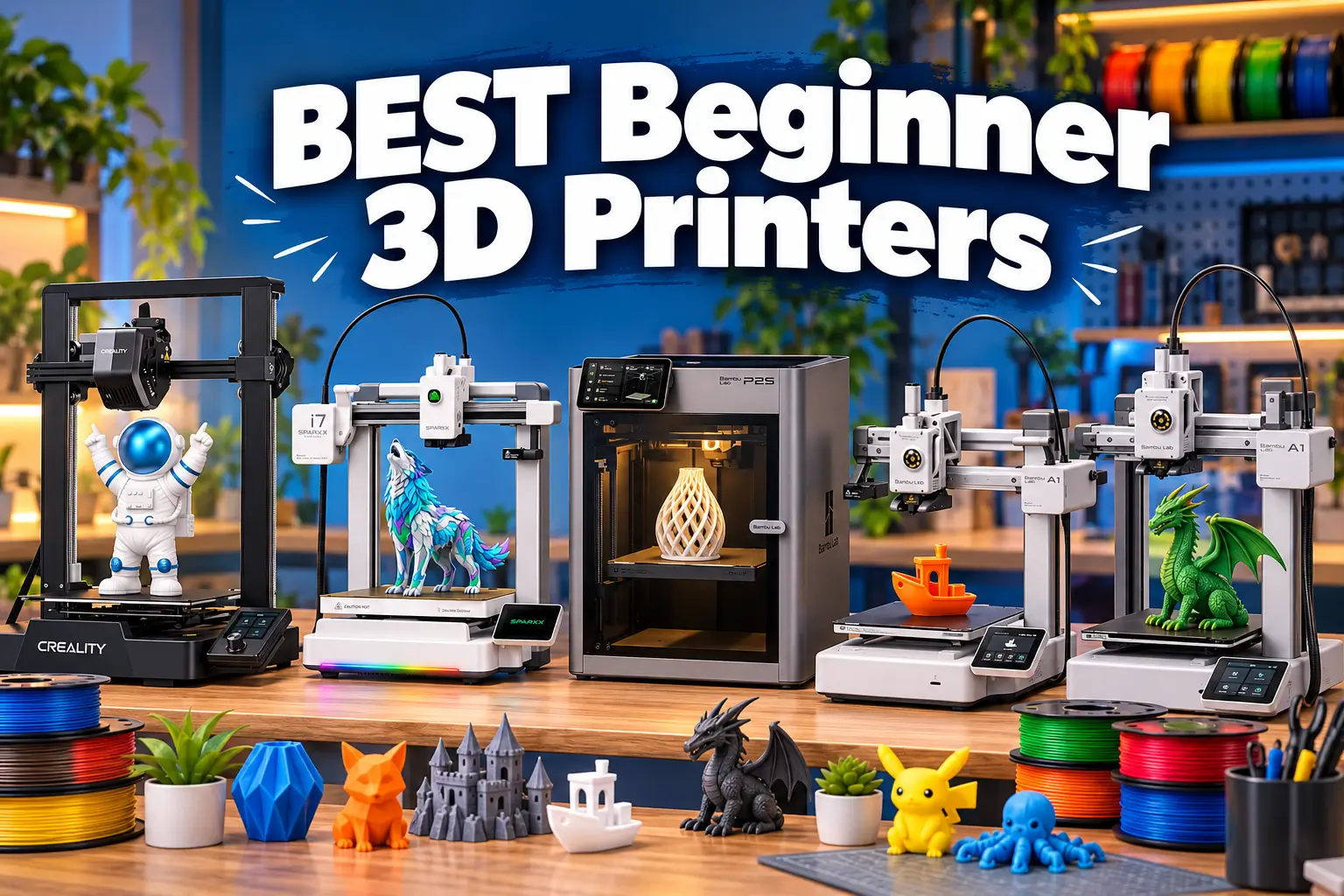
The best beginner 3D printers in 2026 handle bed leveling, calibration and filament loading for you, so your first print succeeds instead of failing at the first layer. That matters more than top speed or a long spec sheet. It is also why price alone is a poor way to choose a first printer.
This guide ranks five FDM printers across five Indian budget tiers, from roughly ₹18,000 to ₹72,000. Each is judged on beginner friendliness, reliability and running costs. For Indian buyers, it is also judged on whether you can buy it locally, get warranty support and find spare parts.
How this guide was built: Puthiya Journey has not hands-on tested these printers for this article. Specifications come from manufacturer-published data as listed by retailers. Prices come from Indian retailer listings. Performance observations come from named third-party reviews. The three are kept separate throughout.
What Are the Best Beginner 3D Printers in 2026? (Quick Answer)
For most Indian beginners, the Bambu Lab A1 is the best overall choice. It combines fully automatic calibration with a 256 × 256 × 256 mm build volume at a mid-range price. The best pick changes with budget and use case:
- Under ₹20,000: Creality Ender-3 V3 SE
- Under ₹30,000, or a small desk: Bambu Lab A1 mini
- Easy multicolor printing under ₹50,000: Creality SPARKX i7 Color Combo
- An enclosed printer for ABS/ASA and home use: Bambu Lab P2S
| Rank | 3D Printer | Best For | Approx. India Price | Build Volume | Key Advantage |
|---|---|---|---|---|---|
| 1 | Bambu Lab A1 | Best overall | ≈ ₹31,999 | 256 × 256 × 256 mm | Full auto calibration, large bed |
| 2 | Creality Ender-3 V3 SE | Lowest price | ≈ ₹17,000–18,500 | 220 × 220 × 250 mm | Auto leveling + direct drive, cheapest |
| 3 | Bambu Lab A1 mini | Small desks, students | ≈ ₹21,499 | 180 × 180 × 180 mm | Same automation, compact |
| 4 | Creality SPARKX i7 Color Combo | Easy multicolor | ≈ ₹46,999 | 260 × 260 × 255 mm | 4-color system included |
| 5 | Bambu Lab P2S | Enclosed, functional parts | ≈ ₹71,999 | 256 × 256 × 256 mm | Enclosure, 110 °C bed |
KSP Electronics, which describes itself as an authorised Bambu Lab dealer, lists the A1 mini at ₹21,499, the A1 at ₹31,999 and the P2S at ₹71,999. Ender-3 V3 SE listings from Indian sellers range from about ₹17,000 to ₹18,400. The SPARKX i7 Combo is listed at ₹46,999 at KSP Electronics. These are indicative figures from listings reviewed in October 2026. Indian pricing varies by seller and bundle.
How Were These 5 Beginner 3D Printers Chosen?
These five printers were chosen by scoring candidates against beginner-focused criteria, with Indian availability weighted as heavily as technical features. A printer that is excellent but hard to buy or service in India was not shortlisted. Brand fame and popularity abroad were not factors.
| Criterion | What We Looked For | Why It Matters to Beginners |
|---|---|---|
| Setup and calibration | Auto leveling, auto Z-offset, minimal assembly | Most first-print failures are first-layer problems |
| Reliability | Sensors, power-loss recovery, track record | Fewer wasted hours and spools |
| Print quality and speed | Published specs plus third-party reviews | Quality matters more than peak speed |
| Build volume | Enough for typical household and hobby prints | Too small a bed becomes limiting quickly |
| Material support | PLA and PETG as a minimum; enclosure for ABS/ASA | Determines what you can grow into |
| Software | Slicer quality, remote monitoring | A poor slicer experience slows learning |
| Maintenance and parts | Consumables, replacement plates, nozzles | Hidden running costs |
| Indian availability | Authorised sellers, warranty, parts | Support decides long-term ownership |
| Price and value | Listed Indian prices, bundle economics | What you actually pay |
| Upgrade potential | Multicolor options, enclosure | Room to grow |
How evidence is labelled in this guide:
- Manufacturer specifications are published figures, shown as “listed” or “published”.
- Manufacturer claims, such as noise levels or waste reduction, are attributed to the maker.
- Third-party reviews are named when used.
- Analysis is Puthiya Journey’s own reasoning.
How the ranking order works: The order reflects how many beginners each printer suits, not which is technically strongest. The P2S is arguably the most capable printer here, but it ranks last because most first-time buyers do not need to spend ₹72,000.
Which Popular Printers Were Considered but Not Included?
Several well-reviewed printers were left out because Indian availability or support could not be verified in this research. This is not a judgment on their quality.
- Elegoo Centauri Carbon: An enclosed CoreXY printer with a 256 × 256 × 256 mm build volume that has received strong coverage abroad. Indian pricing and official support could not be confirmed.
- Flashforge AD5X: A four-color printer with a 1-year limited warranty on the global store. Only third-party Indian listings were found, and official Indian support is not confirmed.
- Creality K1C: An enclosed 220 × 220 × 250 mm printer listed at ₹51,999 by one Indian seller. At that price it sits close to the Bambu Lab P1S, so it was not prioritised.
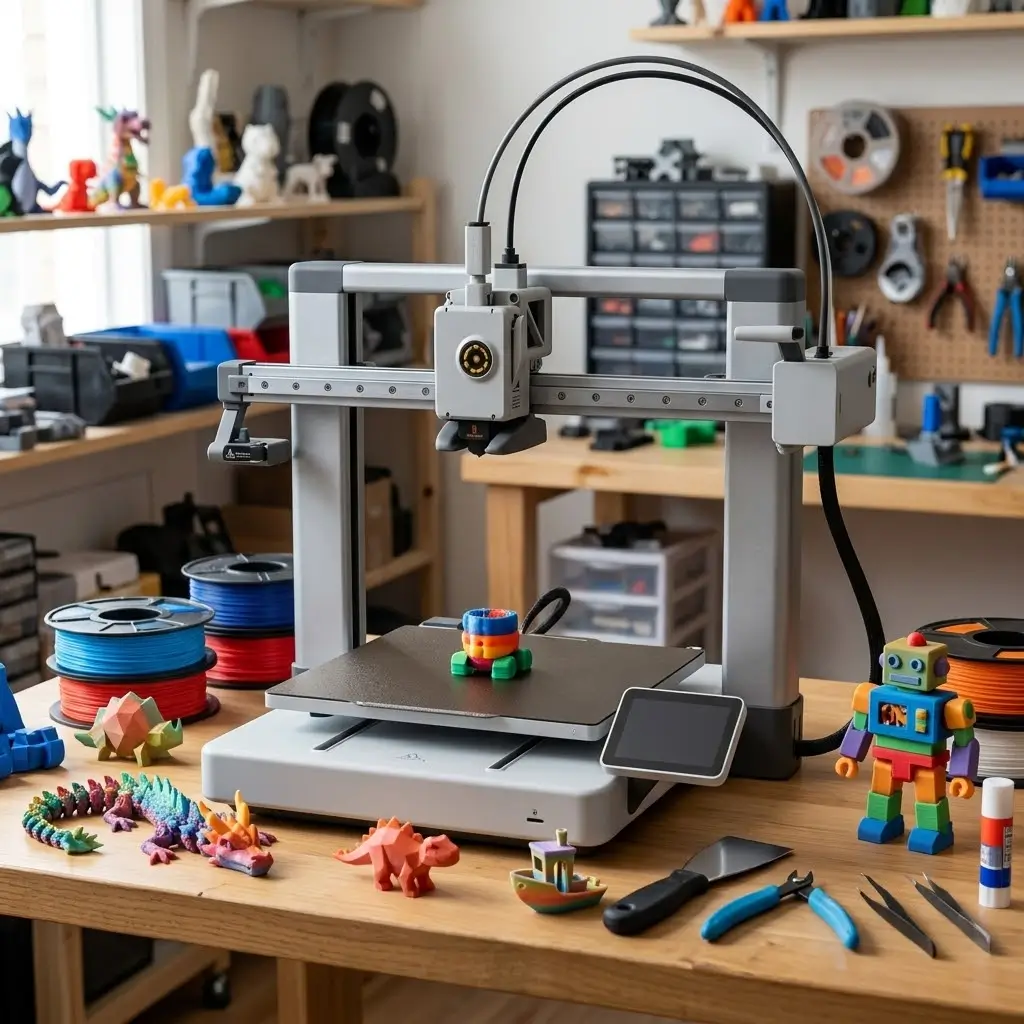
#1 — Bambu Lab A1: Best Overall Beginner 3D Printer
The Bambu Lab A1 is the best overall beginner 3D printer in this guide because it automates the steps that trip up new users and still offers a generous 256 mm build volume. It sits in the ₹30,000–35,000 tier.
Why We Recommend It
The A1 calibrates Z offset, bed leveling, vibration resonance and nozzle pressure automatically, and includes filament run-out, tangle and power-loss sensors. For a beginner, that removes most of the manual tuning that makes older printers frustrating.
In India, KSP Electronics sells the A1 as an authorised Bambu Lab dealer, with GST invoice, warranty and India-based support. Warranty terms vary by seller, so confirm them before buying.
Key Specifications
These figures come from Bambu Lab’s published specifications as listed by retailers.
| Specification | Details |
|---|---|
| Price (India) | ≈ ₹31,999 (varies by seller); A1 Combo with AMS lite ≈ ₹48,999 |
| Technology | FDM, open-frame bed slinger |
| Build volume | 256 × 256 × 256 mm |
| Max toolhead speed | 500 mm/s (10,000 mm/s² acceleration) |
| Max nozzle temperature | 300 °C |
| Max bed temperature | 100 °C |
| Automatic leveling | Yes, with full auto calibration |
| Filament compatibility | PLA, PETG, TPU, PVA ideal |
| Connectivity | Wi-Fi, Bambu Studio and Bambu Handy app |
| Enclosure | No |
| Noise | Under 48 dB in silent mode (manufacturer figure) |
Bambu lists ABS and ASA as not recommended on the A1 because of its open frame and lower chamber temperature. A second KSP page gives an approximate price of about ₹30,900, which shows how listings drift even within one seller.
Best Features for Beginners
- Auto calibration before prints: removes manual bed leveling and Z-offset adjustment.
- Large build volume: most household projects fit without splitting.
- Sensors: run-out, tangle and power-loss detection reduce failed prints.
- Multicolor-ready: AMS lite can be added later.
Advantages
- Minimal setup and calibration effort
- Large build volume for the price
- Good ecosystem and community model library (MakerWorld)
- Clear upgrade path to multicolor
Limitations
- Open frame, so not suited to ABS or ASA
- Bambu’s slicer and app ecosystem is proprietary-leaning
- AMS lite bought separately costs about ₹25,500 at KSP, while the Combo premium is roughly ₹17,000, so decide on color before buying
- Bed-slinger motion means very tall, thin prints need care
Best For
Beginners who want the most reliable “it just works” experience and may later want multicolor printing.
Who Should Buy It?
- First-time buyers with ₹30,000–35,000
- Home users, hobbyists and students who need a 256 mm bed
- Anyone planning to print mostly PLA and PETG
Who Should Consider Something Else?
- Buyers under ₹25,000: look at the A1 mini or Ender-3 V3 SE
- Anyone who needs ABS or ASA parts: choose an enclosed printer like the P2S
- Users who want fully open-source software and firmware control
Verdict
The A1 is the best beginner printer here because it combines automation, size and a sensible price. Pick the Combo only if you know you want color.
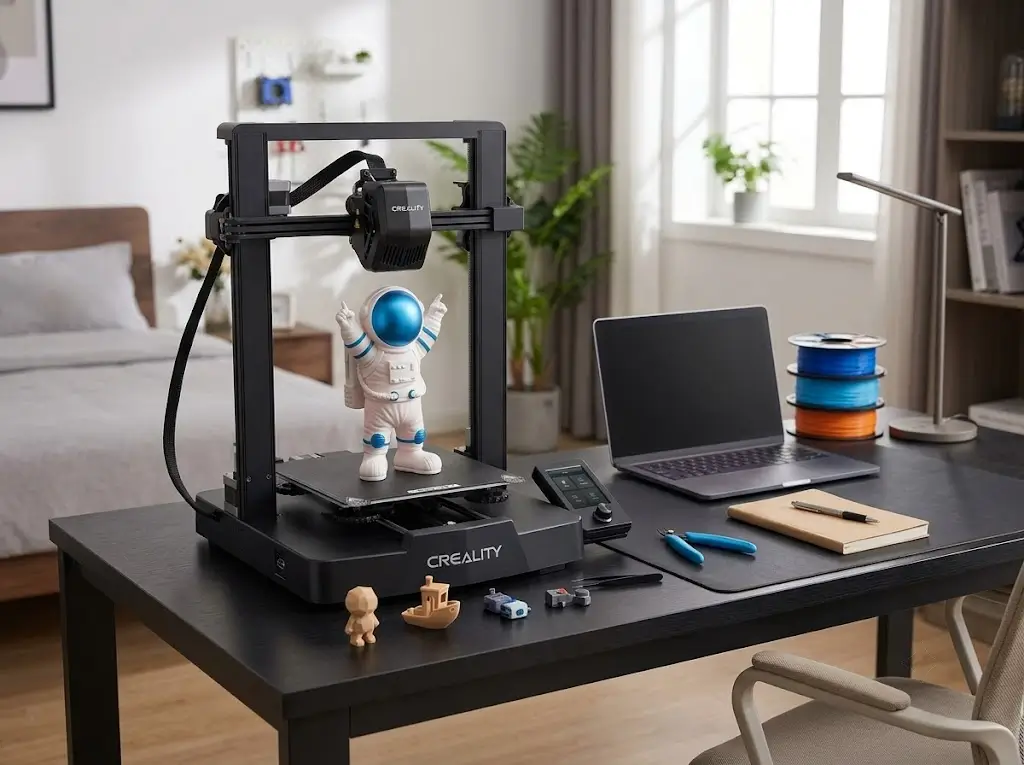
#2 — Creality Ender-3 V3 SE: Best Budget Beginner 3D Printer
The Creality Ender-3 V3 SE is the best budget beginner 3D printer here because it brings auto leveling and a direct drive extruder to a price under ₹20,000. It sits in the under-₹20,000 tier.
Why We Recommend It
The Ender line is one of the best-known entry points into 3D printing, and the V3 SE removes its biggest old weakness: manual leveling. Creality lists auto leveling, a direct drive extruder and a 250 mm/s maximum speed. Robu describes itself as an official Creality distributor in India, and spare parts for Enders are widely stocked.
Key Specifications
| Specification | Details |
|---|---|
| Price (India) | ≈ ₹17,000–18,500 (varies by seller) |
| Technology | FDM, open frame, CoreXZ motion |
| Build volume | 220 × 220 × 250 mm |
| Max speed | 250 mm/s (typical 180 mm/s) |
| Max nozzle temperature | 260 °C |
| Max bed temperature | 100 °C |
| Automatic leveling | Yes (CR Touch plus strain sensor for Z offset) |
| Filament compatibility | PLA, PETG, TPU 95A (manufacturer list) |
| Connectivity | SD card listed; Wi-Fi not listed |
| Enclosure | No |
| Rated power | 350 W |
The listed specs confirm 260 °C and 100 °C maximums and power-loss recovery, but one retailer lists no filament run-out sensor. The printer has a 3.2-inch knob-controlled screen and a dual Z-axis.
Best Features for Beginners
- Auto leveling with automatic Z offset: the first layer is handled for you.
- Direct drive extruder: easier filament handling and TPU support.
- Auto filament load and unload from the screen.
- Flexible spring-steel build plate for easy part removal.
Advantages
- Lowest price of any pick here
- Huge community and easy-to-find spares in India
- Direct drive works with flexible filament
- Compact and easy to assemble
Limitations
- The design dates from July 2023, so features trail newer machines
- No filament run-out sensor listed
- 260 °C ceiling limits materials
- No camera, enclosure or multicolor system
- Less automation than Bambu: expect more tweaking
Best For
Budget-first beginners, students and anyone who wants to learn on a low-risk printer.
Who Should Buy It?
- Buyers with a firm cap under ₹20,000
- Learners who enjoy tinkering and community guides
- Users who mostly print PLA and PETG
Who Should Consider Something Else?
- Buyers who can stretch to the A1 mini for stronger automation
- Anyone who wants remote monitoring or multicolor printing
- Families wanting an enclosed machine
Verdict
The Ender-3 V3 SE is the smartest way to start under ₹20,000. Accept that you will do more of the learning yourself.
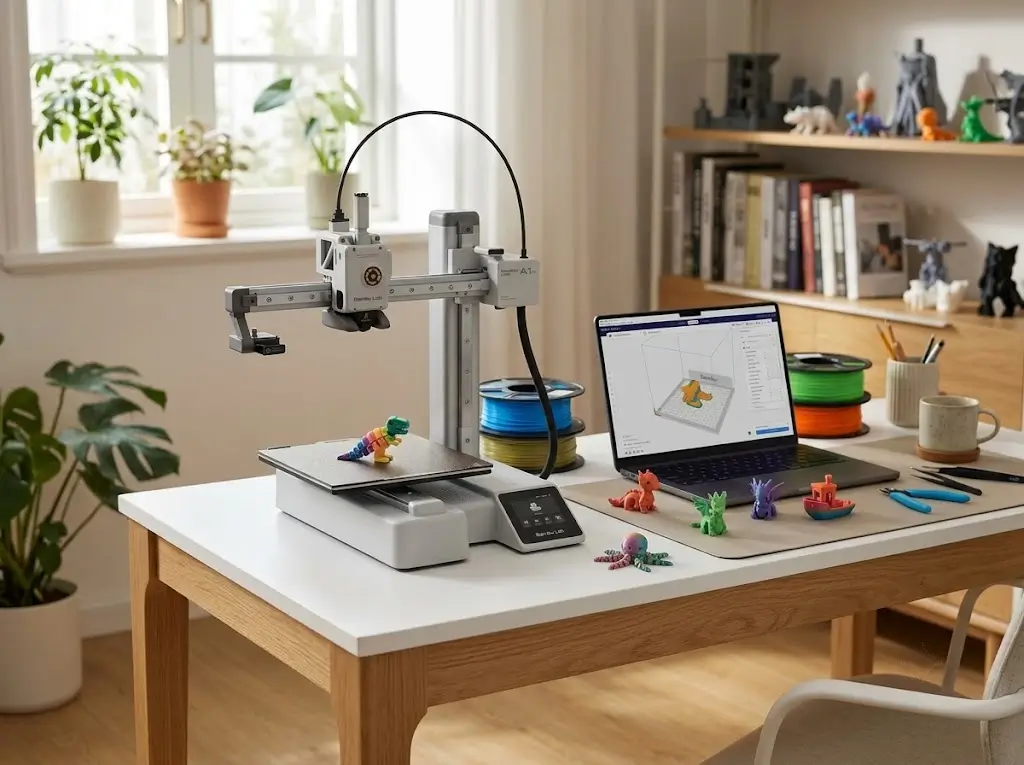
#3 — Bambu Lab A1 mini: Best Compact Entry-Level 3D Printer
The Bambu Lab A1 mini is the best compact beginner 3D printer here, offering the A1’s automation in a smaller footprint at roughly ₹21,500. It sits in the ₹20,000–30,000 tier.
Why We Recommend It
The A1 mini gives you the same calibration approach as the larger A1 in a machine that fits on a crowded desk. Bambu says it ships pre-assembled and pre-tuned, with automatic Z-offset and belt-tension checking. For students and apartment users, that mix of small size and low effort is the draw.
Key Specifications
| Specification | Details |
|---|---|
| Price (India) | ≈ ₹21,499 printer only; Combo ≈ ₹38,499 (varies) |
| Technology | FDM, open-frame bed slinger |
| Build volume | 180 × 180 × 180 mm |
| Max speed | 500 mm/s (10,000 mm/s² acceleration) |
| Max nozzle temperature | 300 °C |
| Max bed temperature | 80 °C |
| Automatic leveling | Yes, with full auto calibration |
| Filament compatibility | PLA, PETG, TPU, PVA ideal |
| Connectivity | Wi-Fi, Bambu Studio and Bambu Handy |
| Weight | 5.5 kg |
| Enclosure | No |
Bambu’s data sheet lists the 80 °C bed, 5.5 kg weight and support for third-party slicers that export standard G-code.
Best Features for Beginners
- Full auto calibration on every print
- Compact, light frame that is easy to move
- Quiet operation (manufacturer cites under 48 dB in silent mode)
- Upgradable to four colors via AMS lite
Advantages
- Lowest price for the Bambu ecosystem in India
- Excellent for small, detailed models
- Low footprint and weight
- Same app and slicer as larger Bambu printers
Limitations
- 180 mm cube is restrictive for helmets, large boxes or cosplay parts
- 80 °C bed temperature is lower than the A1’s 100 °C
- Replacement PEI plates cost ₹4,500–5,500 at KSP, which is high for a small printer
- Multicolor Combo prices vary widely between sellers
Best For
Students, small spaces, miniatures and gadget-sized prints.
Who Should Buy It?
- First-time buyers with ₹20,000–30,000
- Hostel, apartment or classroom users
- Anyone printing mostly small parts
Who Should Consider Something Else?
- Buyers who want to print large or tall objects: choose the A1
- Buyers under ₹20,000: the Ender-3 V3 SE
- Anyone who needs multicolor on a tight budget, since the Combo price varies
Verdict
The A1 mini is the best choice under ₹30,000 if size is not an issue. If you will outgrow 180 mm quickly, step up to the A1.
#4 — Creality SPARKX i7 Color Combo: Best Beginner Printer for Easy Multicolor Printing
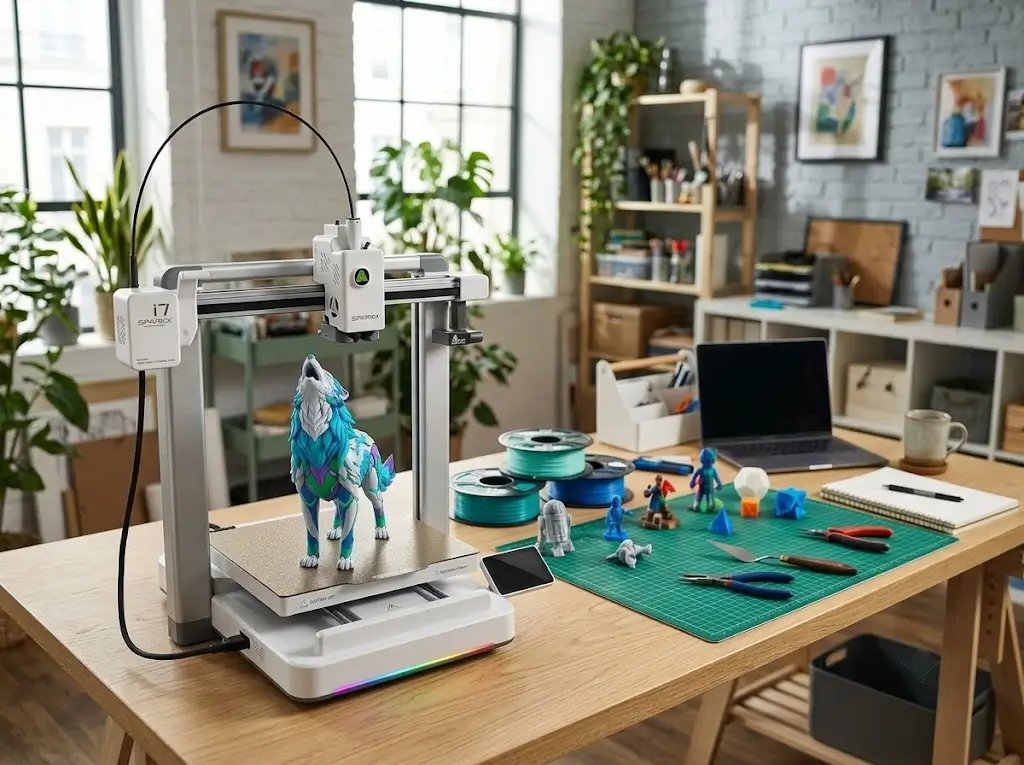
The Creality SPARKX i7 Color Combo is the best beginner printer here for multicolor printing under ₹50,000, because the four-color system is included in the box. It sits in the ₹45,000–50,000 tier.
Why We Recommend It
The SPARKX line is Creality’s beginner-focused brand. Tom’s Hardware’s review describes the SPARKX i7 as aimed at beginners, with auto leveling that sets bed level and Z offset at the start of each print. The Color Combo adds the CFS Lite, a four-slot multicolor feeder.
Key Specifications
| Specification | Details |
|---|---|
| Price (India) | ≈ ₹46,999 Color Combo; printer alone ≈ ₹33,999 on one marketplace |
| Technology | FDM, open-frame bed slinger |
| Build volume | 260 × 260 × 255 mm |
| Max speed | 500 mm/s |
| Max nozzle temperature | 300 °C |
| Max bed temperature | 100 °C |
| Automatic leveling | Yes, plus auto Z offset and input shaping |
| Filament compatibility | PLA, PETG, TPU, PLA-CF |
| Multicolor | Up to 4 colors via CFS Lite |
| Connectivity | Wi-Fi and USB |
| Enclosure | No |
Creality lists an open structure, direct drive extruder, tool-free replaceable hotend, double-sided textured PEI plate and a 720p AI camera that detects problems like spaghetti and filament run-out. The 260 × 260 × 255 mm volume and 500 mm/s speed are confirmed by a retailer listing. Creality claims a Night Mode of about 30 dB. That is a manufacturer figure, not independent measurement.
For pricing context, a price tracker shows an average of ₹49,438 and a high of ₹53,999 for the Combo, against KSP’s ₹46,999. Compare sellers before buying. The standalone printer was tracked at ₹33,999 on one marketplace.
Best Features for Beginners
- Included CFS Lite: multicolor without buying an add-on later.
- Direct drive: the Tom’s Hardware review reports it handled softer 85A TPU without trouble.
- Larger bed than the A1: slightly more usable area.
- AI camera and spaghetti detection for remote monitoring.
Advantages
- Multicolor included at under ₹50,000
- Largest build area of the five (260 × 260 × 255 mm)
- Tool-free nozzle swap
- Creality’s wide service network in India
Limitations
- The CFS Lite is not a heated dry box, and stacking multiple CFS Lite units is not supported, so four colors is the maximum
- Newer 2026 design with less long-term owner data than the A1
- Open frame, so not suited to ABS or ASA
- Combo pricing varies noticeably across Indian sellers
Best For
Beginners who want colorful prints from day one without paying Bambu prices.
Who Should Buy It?
- Buyers who want multicolor printing under ₹50,000
- Users who like Creality’s ecosystem
- Hobbyists printing figurines, desk accessories and gifts
Who Should Consider Something Else?
- Buyers who do not need color: the A1 gives similar automation for less
- Those wanting a proven multi-year track record
- Anyone printing ABS or ASA
Verdict
The SPARKX i7 Color Combo is a strong multicolor value pick. Its rival is the A1 Combo at ₹48,999, so compare current seller prices and your preference for Creality or Bambu software.
If you’re looking for a newer and more advanced option, the Creality SPARKX i8 builds on the beginner-friendly approach of the i7 with an upgraded 4-color printing system and improved capabilities. It’s designed to make multicolor 3D printing easier for beginners while offering more flexibility for creators who want to move beyond single-color printing.
#5 — Bambu Lab P2S: Best Premium Beginner 3D Printer (Enclosed)
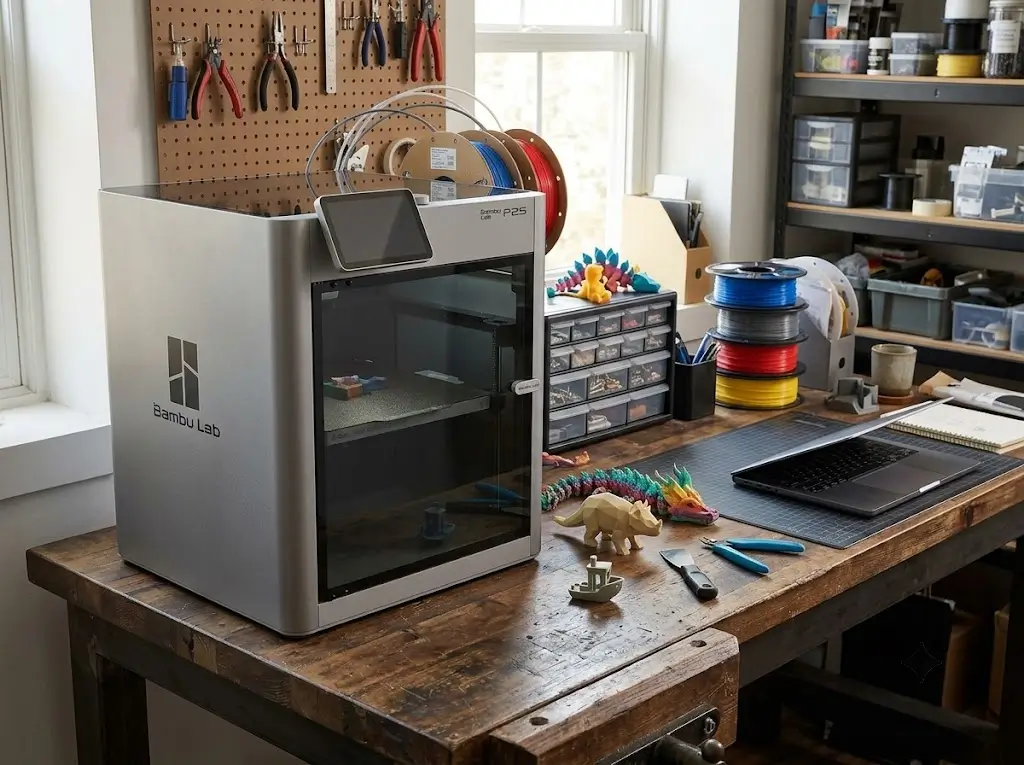
The Bambu Lab P2S is the best premium beginner 3D printer here because it is fully enclosed, handles ABS and ASA, and keeps Bambu’s automatic calibration. It sits in the ₹70,000+ tier.
Why We Recommend It
The P2S launched in October 2025 as the direct successor to the P1S, adding a hardened-steel nozzle, a 110 °C bed and a 600 mm/s peak speed. The enclosure matters for safety and materials: it contains hot parts, reduces drafts and allows ABS and ASA printing.
Key Specifications
| Specification | Details |
|---|---|
| Price (India) | ≈ ₹71,999 printer only; Combo ≈ ₹1,02,999 |
| Technology | FDM, fully enclosed CoreXY |
| Build volume | 256 × 256 × 256 mm |
| Max speed | 600 mm/s (20,000 mm/s² acceleration) |
| Max nozzle temperature | 300 °C (hardened steel nozzle) |
| Max bed temperature | 110 °C |
| Automatic leveling | Yes, fully automatic calibration |
| Filament compatibility | PLA, PETG, TPU, ABS, ASA, PA, PC and fiber-filled |
| Multicolor | AMS 2 Pro in Combo |
| Weight and size | 14.9 kg; 392 × 406 × 478 mm |
| Enclosure | Yes, with filtration |
The published specs include a 256 mm cube, 300 °C hotend, 110 °C bed and an ergonomic quick-swap nozzle design. Third-party database 3DPros confirms the fully enclosed CoreXY design and 600 mm/s peak speed. One independent analysis describes the chamber as passively warmed, around 50 °C, rather than actively heated. KSP lists the P2S at ₹71,999 and the Combo at ₹1,02,999. The Combo includes the AMS 2 Pro.
Best Features for Beginners
- Full enclosure: safer around kids and pets, and stable for ABS/ASA.
- Automatic calibration consistent with the A1 series.
- Hardened steel nozzle: handles abrasive filaments.
- Higher bed temperature: better adhesion for engineering materials.
Advantages
- Widest material support in this list
- Faster than every other pick (600 mm/s peak)
- Enclosure helps with dust, drafts and noise
- Strong long-term upgrade path
Limitations
- Highest price; Combo exceeds ₹1 lakh
- Larger and heavier (14.9 kg) than open-frame printers
- Overkill for PLA-only users
- Passive chamber heat means very high-temperature materials are limited
Best For
Buyers who want a safer, enclosed printer for functional parts, ABS/ASA, or family use.
Who Should Buy It?
- Engineering students and makers printing durable parts
- Families who want a closed chamber
- Anyone who wants one printer they will not outgrow
Who Should Consider Something Else?
- Buyers who print only PLA: the A1 gives similar print quality for less
- Anyone on a tight budget
- Those who want the cheapest enclosed option: KSP lists the older P1S at about ₹49,469, though its guide gives ₹52,499 for the same model. Confirm current stock.
Verdict
The P2S is the best premium option because it removes material limits and adds an enclosure. Most first-time buyers will not need it, but it is a safe long-term purchase.
Which Beginner 3D Printer Features Actually Matter?
The features that matter most for beginners are automatic leveling, a heated bed with a flexible plate, and reliable filament feeding. Everything else is useful but not essential.
| Feature | Priority for Beginners |
|---|---|
| Automatic bed leveling | Essential |
| Heated bed | Essential |
| Flexible build plate | Essential |
| Auto calibration | Highly recommended |
| Direct drive extruder | Recommended |
| Filament run-out detection | Recommended |
| Power-loss recovery | Recommended in India |
| Enclosure | Depends on materials |
| Wi-Fi / remote printing | Convenience |
| Camera / monitoring | Convenience |
| Multicolor printing | Optional |
| Maximum print speed | Marketing-heavy |
Automatic Bed Leveling
Automatic bed leveling measures the build plate surface and compensates for any tilt. It prevents the most common beginner failure, a poor first layer. Treat it as essential.
Auto Calibration
Auto calibration goes beyond leveling by also setting Z offset, vibration compensation and, on Bambu printers, nozzle pressure. It cuts the number of settings you must understand early on.
Direct Drive vs Bowden
A direct drive extruder sits on the toolhead and pushes filament a short distance. A Bowden setup sits on the frame and pushes through a tube. Direct drive generally handles flexible filament better and is easier to maintain.
Open vs Enclosed Printer
Open printers cost less and are easy to access. Enclosed printers hold heat, reduce drafts and contain moving parts. Enclosures matter most for ABS and ASA, and they offer a safety benefit with children or pets.
[SUGGESTED DIAGRAM: Side-by-side comparison of open-frame and enclosed printers showing airflow, heat retention and access]
Build Volume
Build volume is the maximum object size, usually quoted as width × depth × height. A 180 mm cube suits small items. 220–260 mm covers most hobby projects.
Print Speed
Maximum speed figures are peak numbers, not typical print speeds. Quality printing usually runs well below the maximum. Do not choose a printer on top speed alone.
Heated Bed
A heated bed keeps the first layer adhered and reduces warping. Every printer in this guide has one.
Flexible Build Plate
A flexible spring-steel plate bends to release finished parts. It saves time and avoids damaging prints.
Filament Runout Detection
A run-out sensor pauses the print when filament ends or jams, so you can reload and resume. It is especially useful on long prints.
Power-Loss Recovery
Power-loss recovery lets a printer resume after an outage. Power interruptions are a practical concern in many parts of India, so this is worth having.
Wi-Fi / Remote Printing
Wi-Fi lets you send files and monitor jobs from a phone. It is convenient but not required.
Camera / Monitoring
A camera lets you check progress remotely and, on some printers, detect failures. Useful for long prints, but optional.
Automatic Flow Calibration
Automatic flow calibration adjusts extrusion for the filament in use. It improves surface quality with less manual work.
Multicolor Printing
Multicolor systems feed several filaments automatically. They are fun and visually impressive, but they add cost and waste filament through purging. Treat them as an upgrade, not a necessity.
How Much Should a Beginner Spend on a 3D Printer in India?
A beginner should expect to spend roughly ₹17,000–₹50,000 on a printer, with the sweet spot around ₹20,000–₹35,000. Spending more buys enclosure, multicolor or larger volume rather than basic print quality. These ranges come from the Indian listings reviewed for this guide.
| Budget | What to Realistically Expect | Example From This Guide |
|---|---|---|
| Under ₹20,000 | Auto leveling, open frame, one color, more tinkering | Ender-3 V3 SE |
| ₹20,000–₹30,000 | Strong automation, smaller volume, polished software | A1 mini |
| ₹30,000–₹50,000 | Larger bed, or multicolor combos | A1, SPARKX i7 Color Combo |
| ₹50,000+ | Enclosure, higher temperatures, wider materials | P2S, plus older P1S |
The printer is not the only cost. Budget extra for filament, a spare build plate and tools. Multicolor economics are worth checking: on Bambu’s A1 series, the Combo premium is about ₹17,000 at KSP, while AMS lite bought separately lists at about ₹25,500. If you think you will want color, buy the Combo.
What Are the Hidden Costs of 3D Printing?
The hidden costs of 3D printing are filament, replacement parts, tools, electricity and storage. Filament is the largest recurring cost.
| Cost | What to Know |
|---|---|
| Filament | Indian guides put PLA at about ₹800–₹1,500 per kg, PETG at ₹1,200–₹1,800 and TPU at ₹1,500–₹2,500. Marketplace listings show PLA+ from roughly ₹490–₹950 per kg. Prices vary by brand and seller. |
| Build plates | Bambu A1 mini PEI plates are listed at ₹4,500–₹5,500. |
| Multicolor add-ons | AMS lite is listed at about ₹25,500 separately. |
| Nozzles | Wear over time; pricing varies by model and was not verified. |
| Tools | Scraper, cutters, adhesive, IPA. Low cost but necessary. |
| Electricity | Depends on print time and your tariff; the Ender-3 V3 SE is rated at 350 W and the A1 mini at a 150 W maximum. Estimate: kW × hours × your per-unit rate. |
| Drying and storage | Airtight boxes with desiccant, or a filament dryer. |
| Enclosure | Needed for ABS/ASA on open printers; the P2S has one built in. |
India-specific note: humidity is a major challenge for filament storage in India, and coastal states like Kerala are no exception. One Indian retailer guide also recommends dust filters on filament paths. Moisture causes stringing and rough surfaces, so dry storage pays for itself.
What Filament Should a Beginner Use?
A beginner should start with PLA, because it prints at low temperatures, rarely warps and is widely available in India. Move to other materials once your first layers are consistent.
- PLA: easiest starting point; good for models, prototypes and decor.
- PETG: stronger and more heat-tolerant than PLA; suited to functional parts.
- TPU: flexible and rubber-like; harder to print and best on direct drive machines.
- ABS/ASA: more demanding; they warp easily and need an enclosure and ventilation.
Is FDM or Resin Better for Beginners?
FDM is better for most beginners because it is simpler, cheaper to run and safer to handle. Resin printing is excellent for fine detail but adds washing, curing and chemical handling.
| Factor | FDM | Resin |
|---|---|---|
| Ease of workflow | Simple | Involved |
| Material cost | Lower | Higher |
| Object size | Larger functional parts | Smaller detailed models |
| Handling | Easy | Requires gloves and ventilation |
| Detail level | Good | Excellent |
| Post-processing | Light | Washing and curing |
This guide focuses on FDM because it suits general-purpose beginner use: household items, prototypes, gifts and functional parts. Resin makes sense later for miniatures or jewellery-style models.
Which 3D Printer Should You Buy?
The right printer depends on your budget, workspace and materials. Use this decision table to narrow it down.
| If You Want… | Choose… |
|---|---|
| Lowest price | Creality Ender-3 V3 SE |
| Best overall | Bambu Lab A1 |
| Easiest setup | Bambu Lab A1 or A1 mini |
| Smallest footprint | Bambu Lab A1 mini |
| Multicolor on a budget | Creality SPARKX i7 Color Combo |
| Larger prints | SPARKX i7 or Bambu Lab A1 |
| Functional parts and ABS/ASA | Bambu Lab P2S |
| Home use with kids or pets | Bambu Lab P2S (enclosed) |
| Student use | A1 mini or Ender-3 V3 SE |
| Small business or prototyping | Bambu Lab A1 or P2S |
How Do the 5 Beginner 3D Printers Compare?
The table below compares verified published specifications side by side. Speeds are manufacturer maximums, not tested performance.
| Printer | Approx. India Price | Build Volume | Max Speed | Auto Leveling | Enclosed? | Multicolor | Best For |
|---|---|---|---|---|---|---|---|
| Bambu Lab A1 | ₹31,999 (Combo ₹48,999) | 256 × 256 × 256 | 500 mm/s | Yes | No | Optional AMS lite | Best overall |
| Creality Ender-3 V3 SE | ₹17,000–18,500 | 220 × 220 × 250 | 250 mm/s | Yes | No | No | Lowest price |
| Bambu Lab A1 mini | ₹21,499 (Combo ₹38,499) | 180 × 180 × 180 | 500 mm/s | Yes | No | Optional AMS lite | Small spaces |
| Creality SPARKX i7 Color Combo | ₹46,999 | 260 × 260 × 255 | 500 mm/s | Yes | No | Yes, 4 colors | Easy multicolor |
| Bambu Lab P2S | ₹71,999 (Combo ₹1,02,999) | 256 × 256 × 256 | 600 mm/s | Yes | Yes | Yes with AMS 2 Pro (Combo) | Enclosed, functional parts |
What Are the Most Common Beginner 3D Printing Mistakes?
The most common beginner mistakes are buying on speed alone, ignoring local support and expecting perfect prints immediately. Avoiding these saves money and frustration.
- Buying based only on maximum speed: peak speeds are rarely used for quality prints.
- Ignoring replacement parts: check that plates, nozzles and hotends are available in India.
- Ignoring filament cost: filament is the biggest ongoing expense.
- Buying a printer that is too advanced: complex machines add tuning you do not need.
- Buying an undersized printer: a tiny bed becomes limiting fast.
- Expecting perfect prints immediately: every printer needs a learning period.
- Ignoring bed adhesion: clean the plate and keep the first layer right.
- Not drying filament: moisture ruins surface quality, especially in humid regions.
- Buying a printer with poor local support: warranty and spares matter.
- Assuming multicolor is necessary: many users never need it.
Which Type of 3D Printer Should a Complete Beginner Avoid?
A complete beginner should avoid printers that need manual bed leveling, assembly from loose parts or wiring work. They should also avoid machines with no heated bed and sellers who offer no support.
One Indian retailer guide says every printer worth considering under ₹15,000 in 2026 should have a heated bed. Very cheap manual-leveling printers can cost you more in time and failed prints than they save. Large-format and delta printers also suit later stages better than a first purchase.
Should You Buy a Beginner 3D Printer Now or Wait?
Buy now if your chosen printer is established, spares are available and the price fits your budget. A good printer today will keep working while newer models arrive.
Buying now makes sense when:
- The printer has proven support and parts in India
- The price is reasonable against other Indian sellers
- You need it for a project, study or business
Waiting may make sense when:
- A specific new model is close to launch and you want it
- A major technology change is reshaping the category
- The model you want is hard to find or out of stock
Do not rush for temporary offers. Compare several authorised sellers and check warranty terms. Bambu’s P2S replaced the P1S in 2025, yet older models often stay available at lower prices.
Frequently Asked Questions
What is the best 3D printer for beginners in 2026?
For most beginners in India, the Bambu Lab A1 is the best all-round choice because it combines full automatic calibration with a 256 × 256 × 256 mm build volume at a price near ₹32,000. If your budget is under ₹20,000, the Creality Ender-3 V3 SE is the better fit.
Which 3D printer is easiest for a beginner to use?
The Bambu Lab A1 and A1 mini are the easiest in this list because they calibrate bed level, Z offset, vibration and flow automatically before prints. The Creality SPARKX i7 is similarly automated, and the Ender-3 V3 SE automates leveling but leaves more settings to the user.
What is the best cheap 3D printer?
The Creality Ender-3 V3 SE is the best cheap beginner printer in this guide, with Indian listings at roughly ₹17,000–₹18,500. It includes auto leveling and a direct drive extruder, which older manual-leveling Ender models lack.
What is the best 3D printer under ₹20,000?
The Creality Ender-3 V3 SE is the strongest option under ₹20,000. It offers auto leveling, a direct drive extruder and a 220 × 220 × 250 mm build volume, but it has no enclosure and no multicolor system.
What is the best 3D printer under ₹30,000?
The Bambu Lab A1 mini, listed around ₹21,500 for the printer alone, is the best pick under ₹30,000 for a small desk. The full-size Bambu Lab A1 costs around ₹31,000–₹32,000 and is worth the extra if you want larger prints.
Is FDM or resin better for beginners?
FDM is better for most beginners because filament is cheaper, post-processing is simpler and there is no liquid resin to handle. Resin suits miniatures and fine detail but needs washing, curing and careful handling.
What filament should a beginner use?
Start with PLA, which is the easiest to print and widely available in India. Move to PETG for functional parts once your first layers are reliable, and leave TPU, ABS and ASA until later.
How much does a beginner 3D printer cost in India?
Based on current Indian listings, beginner printers range from about ₹17,000 for an entry-level model to around ₹72,000 for an enclosed premium printer. Multicolor combos typically cost roughly ₹38,000–₹49,000, and prices vary by seller.
Are cheap 3D printers worth buying?
Yes, if the printer has auto leveling, a heated bed and local support. Printers under about ₹10,000 that rely on manual leveling often cost beginners more in time and failed prints than they save.
How much does 3D printing cost after buying the printer?
Filament is the main ongoing cost, at roughly ₹500–₹1,500 per kg for PLA and more for PETG and TPU. Also budget for replacement build plates and nozzles, tools, filament storage and electricity.
Can beginners use multicolor 3D printers?
Yes. Systems such as Bambu’s AMS lite and Creality’s CFS Lite load and switch filaments automatically. Multicolor printing uses more filament because of purge waste, so it is best added once single-color prints are working reliably.
Do 3D printers require a lot of maintenance?
Modern beginner printers need light, regular maintenance: cleaning the build plate, checking the nozzle and keeping filament dry. Open-frame printers also benefit from dust control, and consumables like nozzles and build plates eventually need replacing.
Final Takeaway
The best beginner 3D printers in 2026 are the ones that automate calibration, are easy to buy and service in India, and match your budget and materials. For most buyers, the Bambu Lab A1 is the best overall pick, the Creality Ender-3 V3 SE is the best budget pick, and the Bambu Lab A1 mini suits small spaces.
Choose the Creality SPARKX i7 Color Combo for easy multicolor printing, or the Bambu Lab P2S if you need an enclosed printer for ABS, ASA and family use. Check current seller prices and warranty terms before ordering, because Indian pricing varies by seller.