
Different Filaments for 3D Printing: Which 3D Printing Filament Should You Use in 2026?

One of the first questions every new 3D printer owner asks — and one experienced makers return to every time they start a new project — is which filament to use. The answer is genuinely different depending on what you are making, what your printer can handle, and what properties the final part needs.
This guide covers the different filaments for 3D printing in the depth that question deserves. Not just “PLA is easy, ABS is strong” — but what the materials actually are, how they behave, why that matters for specific applications, what your printer needs to handle them, and how to choose correctly the first time rather than after a failed spool.
Quick Answer: Which Filament Should You Use?
If you want the fastest honest answer:
| Goal | Best Starting Point |
|---|---|
| Easiest printing, decorative models | PLA |
| Functional parts, general purpose | PETG |
| Outdoor parts, UV exposure | ASA |
| Flexible parts, grips, cases | TPU (95A) |
| Heat resistance, automotive | ABS or ASA |
| Mechanical wear, gears, hinges | Nylon / PA |
| Maximum structural performance | Polycarbonate (PC) |
| Soluble supports | PVA (with dual extruder) |
| ABS support material | HIPS |
| Aesthetic, decorative display | Silk PLA, Wood-fill, Metal-fill |
| Lightweight, stiff structural parts | Carbon Fiber-filled filament |
The right choice depends on your printer, your part’s requirements, and your environment. The sections below give you the full picture to make that decision confidently.
Master 3D Printer Filament Types Chart
General comparisons only. Specific performance varies by formulation and manufacturer. Always check manufacturer data sheets.
| Filament | Ease of Printing | Tensile Strength | Flexibility | Heat Resistance | UV / Outdoor | Enclosure Required | Moisture Sensitive | Typical Use |
|---|---|---|---|---|---|---|---|---|
| PLA | Very Easy | Medium-Low | Rigid | Low | Poor | No | Low | Prototypes, decoration, education |
| PLA+ | Very Easy | Medium | Rigid | Low | Poor | No | Low | Better general-purpose PLA alternative |
| PETG | Easy | Medium-High | Slightly flexible | Medium | Limited | Optional | Low-Medium | Functional parts, brackets, containers |
| ABS | Moderate | Medium-High | Moderate | Medium-High | Poor | Yes | Low | Mechanical parts, enclosures |
| ASA | Moderate | Medium-High | Moderate | Medium-High | Excellent | Yes | Low | Outdoor fixtures, automotive, signage |
| TPU | Moderate | Medium | Very flexible | Medium | Moderate | No | Medium | Phone cases, gaskets, grips, wheels |
| TPE | Moderate-Difficult | Medium | Very elastic | Medium | Moderate | No | Medium | Industrial flexible, soft seals |
| Nylon / PA | Difficult | High | Slightly flexible | High | Limited | Recommended | Very High | Gears, hinges, functional mechanical |
| Polycarbonate | Difficult | Very High | Moderate | Very High | Limited | Yes (high temp) | High | Structural, engineering, optical |
| PVA | Difficult | Low | Flexible | Low | Poor | No | Very High | Water-soluble supports |
| HIPS | Moderate | Medium-High | Moderate | Medium | Poor | Recommended | Low | ABS supports, general purpose |
| PP | Difficult | Medium | Moderate | Medium | Moderate | Optional | Low | Chemical-resistant containers, clips |
| CF-filled | Moderate | High | Very Rigid | High | Moderate | Depends on base | Depends | Structural, drone, jigs |
| GF-filled | Moderate | High | Very Rigid | High | Moderate | Depends on base | Depends | Reinforced mechanical parts |
| Wood-fill | Easy-Moderate | Low-Medium | Rigid | Low | Poor | No | Medium | Decorative, artistic |
| Metal-fill | Moderate | Low-Medium | Rigid | Low | Poor | No | Medium | Display models, sculptures |
| Silk PLA | Easy | Low | Rigid | Low | Poor | No | Low | Decorative, display |
| Glow-in-dark | Easy | Varies | Varies | Varies | Poor | No | Varies | Safety markers, novelty |
| Conductive | Moderate | Low | Varies | Low | Poor | No | Medium | Electronic prototypes, sensors |
What Is 3D Printing Filament?
3D printing filament is a thermoplastic material — a plastic that softens when heated and solidifies when cooled — supplied as a continuous strand wound onto a spool. It is the raw material used in FDM (Fused Deposition Modeling) and FFF (Fused Filament Fabrication) desktop 3D printers.
When you start a print, the printer’s extruder motor pushes the filament strand into a heated zone called the hotend. The hotend melts the plastic to a precise temperature, and the molten material is forced through a small nozzle — typically 0.4 mm in diameter on most desktop printers. The printer deposits this molten plastic in thin layers onto the build plate, and each layer bonds to the one below as it cools. This layer-by-layer process is how 3D printers build objects from the bottom up.
Filament Diameters: 1.75 mm vs 2.85 mm
The two standard filament diameters in the FDM market are 1.75 mm and 2.85 mm (sometimes sold as 3 mm, though 2.85 mm is the more precise standard).
1.75 mm is the dominant diameter in the consumer and hobbyist market. The vast majority of desktop printers sold today — including all Creality, Bambu Lab, Prusa Mini, and similar machines — use 1.75 mm filament. It feeds easily, is supported by a wider range of materials and brands, and works well with modern extruder designs.
2.85 mm is more common on older desktop machines and some professional-grade printers such as certain Ultimaker models. If you own one of these printers, always confirm the diameter before purchasing filament — using the wrong diameter will cause feeding failures.
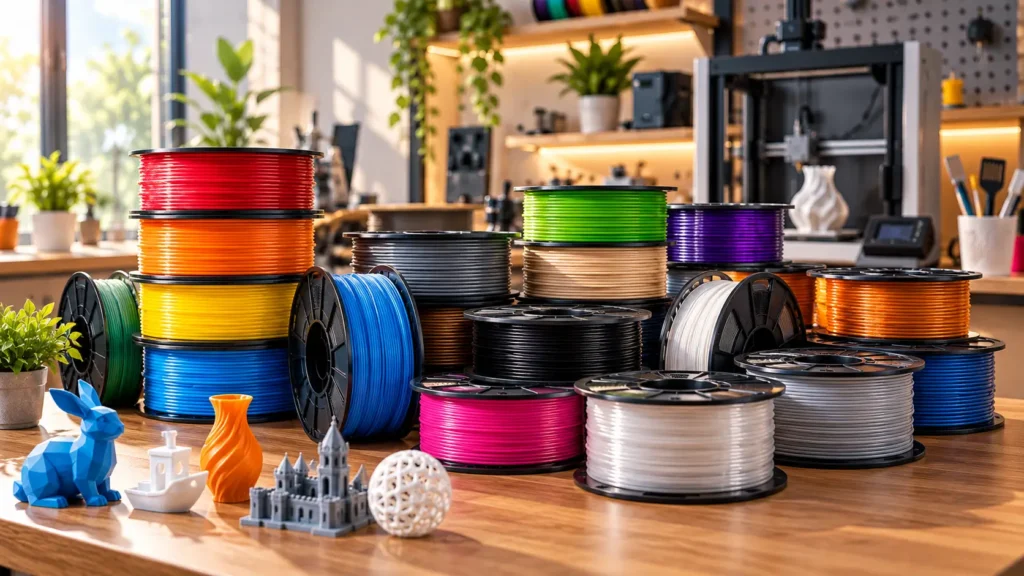
How Material Properties Affect Your Print
Every filament choice directly determines the final part’s:
- Strength (how much force it can withstand before breaking)
- Stiffness vs. flexibility (how much it bends before breaking)
- Heat resistance (the temperature at which it softens)
- UV stability (whether it degrades in sunlight over time)
- Chemical resistance (exposure to oils, solvents, or water)
- Surface finish (how smooth, glossy, or textured it looks)
- Ease of printing (how much skill and printer capability is needed)
Choosing the wrong filament for the wrong application is one of the most common and easily avoidable problems in 3D printing.
How Many Different Filaments Are There for 3D Printing?
There is no single definitive count. Filaments in 3D printing exist across several categories:
Core polymer families (the actual chemical base materials): PLA, PETG, ABS, ASA, TPU, TPE, Nylon/PA, PC, PVA, HIPS, PP, PET-based materials, and advanced engineering polymers like PEEK and PEI. These number roughly 10–20 meaningfully distinct polymer types used in FDM printing.
Commercial blends and formulations: Manufacturers create variants by modifying base polymers — adding impact modifiers (PLA+), UV stabilisers (ASA vs ABS), or optimising for speed or glossiness (Silk PLA, High-Speed PLA variants). These can number in the hundreds of distinct commercial products.
Filled composites: Base polymers loaded with fibre, metal powder, wood particles, glow pigments, or conductive additives. A carbon-fiber-filled PETG is chemically distinct from standard PETG in its behaviour, but shares the same base polymer.
When a retailer claims “we stock 50 different filaments,” they typically mean 50 commercial SKUs — different formulations, colours, and brands of a smaller number of underlying material families. The practical number of meaningfully distinct FDM filament families you need to understand is around 15–20. Understanding those well is more useful than memorising a list of 100 commercial product names.
Understanding Material Properties: What “Strong” Actually Means
Before diving into individual filaments, it is worth defining the terms that get misused most often.
Tensile strength: The maximum stress a material can withstand when being stretched or pulled. A high tensile strength means it takes a lot of pulling force to break.
Stiffness (Young’s modulus): How much a material resists deformation under load without breaking. A stiff material barely bends under load; a flexible material deflects significantly before breaking or returning to shape.
Toughness: The ability to absorb energy before breaking — a combination of strength and ductility. Tough materials can flex somewhat and then recover or fail slowly rather than snapping suddenly.
Impact resistance: The ability to absorb sudden sharp impacts. A brittle material (like standard PLA) can have decent tensile strength but poor impact resistance — it shatters under a sudden blow.
Heat resistance (HDT — Heat Deflection Temperature): The temperature at which a material starts to soften under load. This matters for parts near heat sources, in vehicles, or in outdoor environments in hot climates.
UV resistance: The ability to withstand ultraviolet radiation from sunlight without degrading, discolouring, or becoming brittle. Many plastics have poor UV resistance unless specifically formulated for outdoor use.
None of these properties is automatically best. The correct material balances the properties your part actually needs.
PLA (Polylactic Acid)
PLA is the most widely used FDM filament, chosen for its ease of printing, low warping, and wide availability. It is the default recommendation for beginners and the natural starting point for any new 3D printer.
What is PLA?
PLA is a thermoplastic derived from renewable plant-based sources — typically cornstarch or sugarcane. This makes it technically biodegradable under industrial composting conditions, though it does not break down meaningfully in home compost heaps or natural environments on a practical timescale.
Properties
PLA is a rigid, relatively stiff material with decent tensile strength for decorative and light-duty functional uses. It has excellent dimensional accuracy (it shrinks and warps very little during cooling), prints cleanly, and produces a good surface finish straight off the printer.
Its key limitation is low heat resistance. PLA begins to soften at relatively low temperatures — typically around 50–60 °C depending on the formulation. A PLA part left on a car dashboard in summer will often deform. A PLA mount near a light bulb or motor may warp over time.
PLA is also brittle under sharp impact compared to PETG, ABS, or Nylon. It can crack or snap rather than flexing and recovering under stress concentrations.
Best Uses
- Prototypes, models, concept renders
- Educational tools, school projects
- Decorative objects, figurines, display pieces
- Low-stress functional parts used indoors
- Cosplay props not under heavy mechanical load
- First prints when learning 3D printing
When NOT to Use PLA
- Parts exposed to direct sunlight outdoors for extended periods
- Parts near heat sources (engine bays, dashboards, ovens)
- Parts that need to absorb impacts without shattering
- Parts needing chemical resistance (oils, solvents)
- Parts exposed to humid environments over long periods (PLA can slowly degrade)
Typical Printing Settings
| Parameter | General Range |
|---|---|
| Nozzle Temperature | 190–220 °C |
| Bed Temperature | 0–60 °C (heated bed optional) |
| Enclosure | Not required |
| Cooling | Active cooling recommended |
| Nozzle Type | Standard brass |
Always follow the specific manufacturer’s recommended range and tune from there.
Beginner Suitability: ★★★★★
PLA+ (PLA Plus)
PLA+ is a marketing designation, not a standardised material specification. Different manufacturers formulate their PLA+ differently, and the actual improvement over standard PLA varies significantly by brand.
What is PLA+?
PLA+ typically refers to a modified PLA blend designed to improve on standard PLA’s brittleness and impact resistance. Common modifications include additives that increase toughness, reduce brittleness, or improve layer adhesion. Some formulations also claim improved heat resistance, though this varies.
The critical point: two different brands of “PLA+” can have meaningfully different properties. Brand A’s PLA+ might be significantly tougher and more impact-resistant than standard PLA. Brand B’s PLA+ might be only marginally different. There is no industry standard that defines what PLA+ must deliver.
What PLA+ Generally Offers
- Less brittleness than standard PLA
- Similar or slightly improved layer adhesion
- Slightly higher toughness in many formulations
- Similar ease of printing to standard PLA
- Similar heat resistance limitations to PLA (heat resistance is rarely significantly improved)
Best Uses
PLA+ is appropriate for the same applications as PLA, with better performance for parts that risk sharp impact or stress concentrations — hinges, clips, brackets, and functional parts that occasionally get knocked.
Printing Settings
Similar to PLA, often running 5–10 °C higher on the nozzle depending on the specific brand. Follow the manufacturer’s datasheet.
PETG (Polyethylene Terephthalate Glycol)
PETG is the most practical all-around filament for functional FDM parts, combining good mechanical properties with relatively straightforward printing. If PLA is the beginner’s material, PETG is the go-to for makers who need parts that actually work under stress.
What is PETG?
PETG is a modified version of PET — the same thermoplastic used in plastic bottles and food packaging. The “G” modification (glycol) improves clarity, reduces crystallisation, and makes it easier to process at desktop FDM temperatures. The result is a material with better toughness, chemical resistance, and temperature performance than PLA, without the demanding printing requirements of ABS.
Properties
PETG offers excellent layer adhesion — often better than PLA — which contributes to stronger, more cohesive prints. It has moderate heat resistance (considerably better than PLA, but less than ABS or ASA). It is semi-flexible, giving it better impact resistance than PLA without being a flexible material.
PETG is prone to stringing — fine threads of material between travel moves — more than PLA. This requires tuning retraction settings in your slicer. It also tends to stick very strongly to some build surfaces, which can cause bed adhesion problems on textured surfaces if not managed correctly.
PETG is not highly UV-resistant. While it handles moisture better than PLA, it is not a reliable outdoor material for long-term UV exposure — for that, ASA is the better choice.
Food contact note: PETG is frequently marketed as “food safe,” but this requires careful qualification. The base polymer may be food-contact rated, but a 3D-printed part has layer lines that can harbour bacteria, the brass nozzle may introduce heavy metal contamination, and additives in the specific filament formulation may not be safe. Food-contact safety requires the complete printing system and post-processing to be assessed — not just the base material.
Best Uses
- Functional brackets, mounts, and holders
- Mechanical parts under moderate loads
- Containers and enclosures
- Parts requiring some impact resistance
- Water-handling parts (pipes, funnels, short-term containers)
- General-purpose functional printing
When NOT to Use PETG
- Long-term outdoor UV exposure
- Applications above approximately 70–80 °C sustained
- Where a perfectly clean surface finish is critical (stringing management needed)
Typical Printing Settings
| Parameter | General Range |
|---|---|
| Nozzle Temperature | 220–250 °C |
| Bed Temperature | 70–90 °C |
| Enclosure | Not usually required; helps in some setups |
| Cooling | Moderate (excessive cooling can reduce layer adhesion) |
| Nozzle Type | Standard brass |
Beginner Suitability: ★★★★☆
ABS (Acrylonitrile Butadiene Styrene)
ABS is a tough, impact-resistant thermoplastic with better heat resistance than PLA or PETG, but it is significantly more demanding to print than either and requires an enclosed printer for consistent results.
What is ABS?
ABS is a terpolymer — a plastic made from three monomers — that has been used in industrial manufacturing for decades (LEGO bricks are a famous example). It combines styrene’s rigidity, acrylonitrile’s chemical resistance, and butadiene’s toughness into a material with a well-established engineering track record.
Properties
ABS has notably better heat resistance than PLA (heat deflection temperature typically in the range of 80–100 °C for standard grades, though this varies). It also offers improved impact resistance — it tends to flex and deflect under sharp loads rather than shattering. It can be sanded, primed, and painted relatively easily for post-processing.
The major challenge with ABS is warping. ABS shrinks as it cools, and this differential shrinkage causes the part to curl upward from the build plate, particularly at corners. Managing this requires a heated bed (typically 90–110 °C), an enclosed printer to maintain a warm ambient temperature and prevent drafts, and often a brim or raft around the part.
ABS also produces fumes during printing — styrene vapour and other volatile compounds. These are not safe to inhale in concentrated form. Printing ABS requires adequate ventilation, and ideally an air filtration system. This makes ABS less suitable for printing in bedroom setups or confined spaces without proper ventilation.
Best Uses
- Automotive components (interior, non-engine-bay)
- Electronic enclosures
- Mechanical housings
- Parts requiring post-processing (sanding, painting, acetone vapour smoothing)
- Functional parts in moderately elevated temperatures
When NOT to Use ABS
- Outdoor applications with direct UV exposure (use ASA instead)
- Open-frame printers without enclosures
- Confined spaces without ventilation
- Beginners without experience managing warping
Typical Printing Settings
| Parameter | General Range |
|---|---|
| Nozzle Temperature | 230–260 °C |
| Bed Temperature | 90–110 °C |
| Enclosure | Required for consistent results |
| Cooling | Minimal — drafts cause warping |
| Nozzle Type | Standard brass |
Beginner Suitability: ★★☆☆☆
ASA (Acrylonitrile Styrene Acrylate)
ASA is the outdoor-rated alternative to ABS. It matches ABS’s heat resistance and mechanical performance while adding genuine UV stability — making it the correct choice whenever a part will spend significant time in direct sunlight.
What is ASA?
ASA is a thermoplastic with a similar molecular architecture to ABS but with an acrylate rubber component replacing butadiene. This substitution is the key engineering decision: butadiene rubber (used in ABS) degrades under UV radiation, causing the material to yellow, become brittle, and lose mechanical properties. Acrylate rubber (used in ASA) is substantially more UV-stable, allowing the material to maintain its properties and appearance under extended sunlight exposure.
Properties
ASA’s mechanical and thermal properties closely mirror ABS — similar heat resistance, similar impact resistance, similar stiffness. The differentiating property is UV resistance. ASA-printed parts retain their colour, mechanical performance, and surface integrity under prolonged outdoor exposure in a way that ABS does not.
Like ABS, ASA has a tendency to warp during printing and requires an enclosure and a heated bed. It also produces fumes during printing and requires ventilation.
ASA tends to have slightly better layer adhesion than ABS in many formulations, though this depends on the specific product.
Practical Outdoor Applications
ASA is the correct material for:
- Outdoor mounting brackets and fixings
- Garden furniture connectors, plant labels, tool handles
- Vehicle exterior components (mirror trim, aerial mounts, light surrounds)
- Signage exposed to the elements
- Solar panel mounting hardware
- Agricultural equipment covers
- Any functional part that will live outdoors year-round
Typical Printing Settings
| Parameter | General Range |
|---|---|
| Nozzle Temperature | 240–260 °C |
| Bed Temperature | 90–110 °C |
| Enclosure | Required |
| Cooling | Minimal |
| Nozzle Type | Standard brass or hardened |
Beginner Suitability: ★★☆☆☆
TPU (Thermoplastic Polyurethane)
TPU is the most widely used flexible filament in desktop FDM printing, chosen for applications where the part needs to flex, compress, absorb impacts, or conform to a surface. Understanding its printing requirements is key to using it successfully.
What is TPU?
TPU is an elastomeric thermoplastic — a rubber-like plastic that can be stretched significantly and return to its original shape. It is characterised by its Shore hardness rating, which measures resistance to permanent indentation (a proxy for how “hard” or “soft” the material feels).
Shore hardness explained for 3D printing:
| Shore A Rating | Feel | Common FDM Applications |
|---|---|---|
| 95A | Firm, slight flex | Phone cases, structural flexible parts |
| 87A | Moderately flexible | Grips, covers, wheels |
| 82A | Noticeably soft | Gaskets, cushioning inserts |
| 75A and below | Very soft | Medical-type pads, ultra-soft seals |
Most “standard” TPU filaments sold for desktop FDM printers are 95A — firm enough to print reliably but flexible enough for most flexible-part use cases.
Printing Considerations
TPU’s elasticity — the property that makes it useful — also makes it challenging to print. As the extruder pushes TPU filament, the material can buckle, compress, or fold rather than feeding cleanly, particularly in Bowden tube setups where there is a long unsupported filament path between the drive gear and the hotend.
For this reason, direct drive extruders are strongly preferred for TPU printing. In a direct drive setup, the motor sits directly on the printhead, minimising the distance between the drive gear and the nozzle. This dramatically reduces the chance of filament buckling.
Bowden setups can sometimes print TPU 95A (the firmest grades) successfully, but require careful retraction tuning, slower speeds, and often some trial and error.
TPU also prints best at slower speeds than PLA or PETG — rushing the print is the most common cause of feed failures with flexible filaments.
Best Uses
- Phone cases, tablet covers, protective shells
- Cable strain relief parts
- Flexible hinges and living hinge mechanisms
- Grips, handles, anti-vibration mounts
- Wheels for robotics and RC vehicles
- Gaskets, seals, and O-ring substitutes
- Wearable components (watchbands, orthotics, costume elements)
- Bumper protectors, corner guards
Typical Printing Settings
| Parameter | General Range |
|---|---|
| Nozzle Temperature | 210–240 °C |
| Bed Temperature | 30–60 °C |
| Enclosure | Not usually required |
| Extruder | Direct drive strongly preferred |
| Print Speed | Slower than PLA — typically 20–40 mm/s |
| Retraction | Minimal (excess retraction causes jams) |
| Cooling | Moderate |
Beginner Suitability: ★★☆☆☆ (requires printer assessment first)
TPE (Thermoplastic Elastomer)
TPE is a broader category of rubber-like thermoplastics that includes TPU as a sub-family. In the FDM filament market, TPE often refers to softer, more elastic formulations than standard TPU — typically used for industrial-type flexible parts, soft seals, and specialist applications.
TPE filaments are generally even softer and more elastic than TPU, making them more challenging to print reliably. Direct drive extruders are essentially mandatory for most TPE printing. Print speeds must be very slow, and retraction requires careful management to prevent the filament from folding inside the extruder.
TPE is less commonly recommended for general hobbyist use compared to TPU, primarily because of the additional printing difficulty and narrower application range. It finds use in industrial prototyping, medical device prototypes, and specialist soft robotics applications.
Nylon / PA (Polyamide)
Nylon is a family of high-performance engineering thermoplastics offering exceptional toughness, wear resistance, and fatigue strength — but it is demanding to store, prepare, and print.
What is Nylon?
Polyamide (PA) is the chemical family; “Nylon” is the common trade name. Within the FDM filament market, several polyamide grades are used: PA6, PA12, PA6-CF (carbon-fiber reinforced), PA12-CF, and various blends. Each has distinct properties:
- PA12 is more flexible, absorbs less moisture, and is generally more printable than PA6
- PA6 is stronger and stiffer but absorbs moisture aggressively
- PA12-CF and PA6-CF add carbon-fiber reinforcement for higher stiffness
Properties
Nylon’s standout properties for functional parts are:
- High toughness: Nylon can absorb repeated impacts and cyclic loads without fatigue failure, unlike brittle PLA
- Wear resistance: Parts like gears, bushings, and sliding contacts made from Nylon outlast the same parts in PLA or ABS dramatically
- Slight inherent flexibility: Nylon flexes slightly under load and recovers, making it resistant to cracking under point loads
- Heat resistance: Notably better than PLA and PETG; suitable for mechanical assemblies near moderate heat sources
The major challenge: Nylon is highly hygroscopic — it absorbs moisture from the air rapidly. Wet Nylon prints with dramatically worse properties: poor surface finish, reduced strength, and inconsistent extrusion. Drying Nylon before printing is not optional; it is mandatory for consistent results. Even a few hours of exposure to ambient air can degrade printing quality for sensitive grades.
Best Uses
- Gears, sprockets, and drive components
- Hinges, snap-fit closures, and living hinges
- Wear surfaces and sliding parts
- Cable guides and moving mechanical assemblies
- Functional prototypes of injection-moulded PA parts
- Parts requiring repeated flexing without fatigue failure
Typical Printing Settings
| Parameter | General Range |
|---|---|
| Nozzle Temperature | 230–270 °C (grade-dependent) |
| Bed Temperature | 70–90 °C |
| Enclosure | Recommended for most grades |
| Drying | Critical — dry before every print session |
| Nozzle Type | Standard brass (unfilled); hardened for CF-filled grades |
Beginner Suitability: ★★☆☆☆
Polycarbonate (PC)
Polycarbonate is one of the highest-performance FDM filaments accessible on desktop printers, offering exceptional impact resistance, heat resistance up to around 110–130 °C, and optical clarity — but it demands significant printer capability and skill.
Properties
PC’s combination of properties is genuinely impressive:
- Impact resistance: PC is famously tough — the same material used for safety glasses and riot shields. FDM-printed PC retains excellent impact resistance
- Heat resistance: PC maintains structural integrity at temperatures that would deform PLA several times over
- Optical clarity: PC is naturally transparent, making it suitable for light-guide components and transparent enclosures
- Hygroscopic: Like Nylon, PC absorbs moisture and must be dried before printing
Printer Requirements
PC requires a hotend capable of sustained printing at 260–300 °C, a heated bed at 100–120 °C, and a fully enclosed printer to prevent warping. Standard PTFE-lined hotends are generally not suitable for sustained PC printing at these temperatures — an all-metal hotend is required for reliable PC work.
These requirements mean PC is not suitable for entry-level open-frame printers.
Best Uses
- High-temperature functional enclosures
- Structural components under mechanical and thermal stress
- Optical components, light pipes
- Protective covers and shielding
- Industrial and engineering prototypes
Beginner Suitability: ★☆☆☆☆
PVA (Polyvinyl Alcohol) — Support Material
PVA is a water-soluble filament used exclusively as support material. It is not a structural material — its purpose is to support overhanging sections of a model during printing, then dissolve cleanly in water to leave the model free.
How It Works
PVA requires a dual-extrusion printer — one extruder prints the main material, the second prints PVA supports wherever the model needs them. After printing, placing the part in water (sometimes warm water, depending on the formulation) causes the PVA to dissolve and wash away, leaving complex geometries that would be impossible to print without supports — or impossible to remove supports from without damaging — now clean and support-free.
PVA is compatible as a support material with PLA, PETG in some configurations, and other materials at comparable temperatures. It is not compatible with high-temperature materials like ABS or PC.
Storage Critical
PVA is extremely sensitive to moisture — far more than even Nylon. PVA in humid conditions can absorb so much moisture that it becomes too soft to feed and print. PVA must be stored in airtight containers with desiccant and typically dried before use. In humid environments like coastal India, this is especially important.
HIPS (High Impact Polystyrene)
HIPS serves a similar purpose to PVA — a dissolvable support material — but works alongside ABS rather than PLA.
HIPS prints at temperatures similar to ABS (220–240 °C nozzle, 90–110 °C bed) and bonds well to ABS during printing. After the print is complete, HIPS supports can be dissolved in limonene (a citrus-derived solvent), leaving the ABS part clean.
As a structural material in its own right, HIPS is serviceable — it is impact-resistant and reasonably strong. But its primary value in the FDM ecosystem is as ABS’s companion support material.
HIPS does emit styrene vapour during printing and requires the same ventilation consideration as ABS.
PP (Polypropylene)
Polypropylene is a challenging but capable FDM material with excellent chemical resistance and a moderate degree of flexibility. It is the same material used in most food containers, medical labware, and many consumer goods.
PP’s challenge is its extremely low surface energy — it simply does not want to stick to most build surfaces. Achieving good first-layer adhesion with PP requires specific bed surface preparation (specialised PP adhesion sheets, tape, or other dedicated approaches). This adhesion difficulty is the single biggest barrier to PP printing.
When adhesion is solved, PP offers excellent performance for:
- Chemical-resistant containers (for mild acids, solvents, and many chemicals)
- Living hinge parts (PP’s fatigue resistance makes it ideal for thin flex hinges)
- Medical and laboratory prototypes (non-reactive)
- Lightweight structural components
PP’s UV resistance is moderate — better than PLA or ABS but less reliable than ASA for long-term outdoor use.
Carbon Fiber Filled Filaments
Carbon fiber filled filaments are composites — a base polymer (most commonly PLA, PETG, Nylon, or ABS) loaded with short chopped carbon fibers. They are not a stand-alone polymer family.
Properties
Adding carbon fibers to a base polymer increases:
- Stiffness: Carbon-fiber-filled parts deflect significantly less under load than unfilled equivalents
- Dimensional stability: Less warping and better form retention
- Strength-to-weight ratio: High stiffness at reduced mass compared to solid plastic
- Layer line bridging: The fibers can improve bridging performance
What carbon fiber fill does NOT automatically do:
- It does not necessarily increase tensile strength in all directions (fibers are randomly oriented in FDM)
- It does not necessarily improve impact resistance (can actually make some materials more brittle)
- It does not change the base polymer’s heat resistance significantly
Critical Nozzle Consideration
Carbon fibers are abrasive. Standard brass nozzles wear rapidly when printing carbon-fiber-filled filaments — sometimes within a single 1 kg spool. A hardened steel nozzle is required for carbon-fiber-filled filaments. Many makers also use larger nozzle diameters (0.6 mm or 0.8 mm) to reduce clogging risk with fiber-filled materials.
Best Uses
- Lightweight structural brackets and frames
- Drone and RC vehicle components
- Jigs, fixtures, and tooling
- Stiff mechanical housings
- Prototypes of carbon-fiber composite parts
Glass Fiber Filled Filaments
Glass-fiber-filled filaments share many characteristics with carbon-fiber-filled options — higher stiffness, better dimensional stability, and improved structural performance over unfilled bases — but glass fiber is less stiff and less lightweight than carbon fiber.
Glass-fiber-filled filaments are also abrasive, requiring hardened nozzles. They often appear white or translucent due to the glass particle colour.
They are a cost-effective way to increase structural rigidity in applications where weight is less critical than in carbon-fiber use cases — reinforced brackets, tool holders, structural connectors.
Specialty and Aesthetic Filaments
Wood-Filled Filament
Wood-filled filaments blend a base polymer (usually PLA) with fine wood fibres or wood flour. The result is a print with a wood-like appearance and texture that can be sanded and stained like actual wood.
What wood-fill is good for: Decorative objects, artistic pieces, architectural models, furniture prototypes, artistic sculptures.
Limitations: Wood-fill does not improve the base polymer’s mechanical or heat resistance properties. The wood fibre content can cause partial clogging in small nozzles — a 0.4 mm or larger nozzle is typical; 0.6 mm is often recommended for smoother feeding.
Metal-Filled Filament
Metal-filled filaments contain fine metal powders (bronze, copper, iron, stainless steel) suspended in a base polymer. The result is a denser, heavier part with a metallic appearance that can be polished or patched.
What metal-fill is good for: Display models, sculptures, jewellery prototypes, decorative objects with a premium metallic look.
Important caveat: Metal-filled filaments are not structurally metallic. The base polymer provides the structural matrix; the metal powder is a filler for weight and appearance. These materials are typically less strong than equivalent unfilled PETG or ABS. The metal powder is also abrasive — hardened nozzles are recommended.
Silk Filament
Silk filament is a modified PLA with surface additives that produce a highly reflective, glossy “silk-like” or metallic sheen. It is purely aesthetic — the glossy appearance comes from the additive, not from any structural difference. Silk PLA prints similarly to standard PLA, with slightly higher nozzle temperatures in some formulations.
Glow-in-the-Dark Filament
Glow-in-the-dark filaments incorporate phosphorescent additives (typically strontium aluminate compounds) into a base polymer. They absorb light energy and emit it slowly in darkness.
The phosphorescent particles are moderately abrasive — extended use wears standard brass nozzles. The base material determines most other properties.
Uses: Safety markers, switch labels, night-visible components, novelty prints, cosplay accessories.
Conductive Filament
Conductive filaments incorporate carbon black or carbon fibre loading to achieve limited electrical conductivity. They are not conductors in the way copper wire is — resistance is high — but they can create capacitive sensors, simple circuit traces, ESD-dissipative pathways, or basic switch mechanisms in 3D-printed form.
Applications include: capacitive touch pads, antistatic housings for electronic components (ESD-safe variants), soft robotics sensing elements, and experimental circuit prototyping.
Conductive filaments typically have lower mechanical strength than their base polymer without the conductive additive.
Marble / Stone-Filled Filament
Marble-fill and stone-fill filaments use fine mineral particles to create a speckled, natural stone appearance. They are primarily aesthetic materials for decorative prints, planters, vases, and architectural models. The mineral content is abrasive; nozzle wear should be considered for extended printing.
3D Printer Filament Types and Temperature Chart
Important disclaimer: Temperature ranges vary significantly between manufacturers, formulations, and even colour variants of the same material. The ranges below are general guidance only. Always follow the temperature guidelines provided by the specific filament manufacturer, and tune from those starting points.
| Filament | Nozzle Temp Range | Bed Temp Range | Enclosure | Cooling | Drying Needed |
|---|---|---|---|---|---|
| PLA | 190–220 °C | 0–60 °C | No | High | No (low priority) |
| PLA+ | 200–230 °C | 0–65 °C | No | High | No (low priority) |
| PETG | 220–250 °C | 70–90 °C | Optional | Moderate | Low priority |
| ABS | 230–260 °C | 90–110 °C | Yes | Minimal | No |
| ASA | 240–260 °C | 90–110 °C | Yes | Minimal | No |
| TPU (95A) | 210–240 °C | 30–60 °C | No | Moderate | Yes |
| Nylon / PA | 230–270 °C | 70–90 °C | Recommended | Low-Moderate | Critical |
| PC | 260–300 °C | 100–120 °C | Yes (high temp) | Minimal | Yes |
| PVA | 185–210 °C | 40–60 °C | No | Moderate | Critical |
| HIPS | 220–240 °C | 90–110 °C | Yes | Minimal | Low |
| PP | 220–240 °C | 85–100 °C | Optional | Moderate | No |
| CF-filled | Base polymer range +5–10 °C | Base polymer range | Base polymer | Base polymer | Depends on base |
Filament Drying: Why It Matters and When to Do It
Moisture is the most commonly overlooked cause of print quality problems with engineering filaments. Many thermoplastics are hygroscopic — they absorb water from ambient air. When wet filament is printed, the moisture in the material flash-vaporises at hotend temperatures, causing a range of visible defects.
Symptoms of Wet Filament
- Popping or crackling sounds from the hotend during printing
- Stringing more severe than normal
- Rough, bubbly surface texture on prints
- Inconsistent extrusion — over-extrusion and under-extrusion alternating
- Reduced layer adhesion — layers separate more easily
- Reduced mechanical properties — wet prints can be noticeably weaker
Which Filaments Need Drying
| Material | Moisture Sensitivity | Drying Priority |
|---|---|---|
| PLA | Low | Low (dry if stored long-term or in humid conditions) |
| PETG | Low-Medium | Medium (humidity can cause stringing issues) |
| ABS | Low | Low (dry if performance issues arise) |
| ASA | Low | Low |
| TPU | Medium | Yes — dry before use |
| Nylon / PA | Very High | Critical — dry always |
| PC | High | Yes — dry always |
| PVA | Extreme | Critical — store sealed; dry before every use |
| HIPS | Low | Low |
Drying Methods
Most filament can be dried at relatively low temperatures (40–70 °C) for several hours in a food dehydrator, purpose-built filament dryer, or oven with accurate temperature control. Exact drying temperatures depend on the specific material — check the manufacturer’s recommendations. Some materials (PVA, Nylon) are sensitive to drying temperatures that are too high. Most filament dryers are designed with these ranges in mind.
In humid environments — including coastal Kerala — keeping filament in sealed containers with silica gel desiccant between uses is essential for materials beyond PLA.
How to Choose the Right Filament: A Decision Framework
Rather than picking a “best” filament universally, use these questions to arrive at the right choice for your specific situation.
Step 1: What does the part need to do?
Decorative only, no load → PLA, Silk PLA, Wood-fill, Glow-in-dark, Metal-fill
Functional indoor part, moderate loads → PETG
Functional part in a warm or hot environment → ASA (outdoors) or ABS (indoors with enclosure)
Flexible part, cushioning, grip → TPU
Mechanical part requiring wear resistance → Nylon
High-temperature or high-load engineering part → PC
Complex geometry needing supports you can’t access → PVA support + PLA/PETG main material
Lightweight structural part → Carbon-fiber-filled filament
Step 2: What can your printer handle?
Open-frame, no heated bed → PLA, PLA+, Silk PLA, most aesthetic filaments
Open-frame with heated bed → PETG, TPU (direct drive preferred), HIPS (with ventilation), wood/metal fills
Enclosed printer, all-metal hotend → ABS, ASA, Nylon, PC, engineering grades
Enclosed, high-temp hotend (300 °C+) → PC, advanced Nylon grades, filled engineering composites
Step 3: What is the operating environment?
Indoors, room temperature → PLA, PETG, ABS, TPU, Nylon
Outdoors, sunlight exposure → ASA (primary choice), PP (secondary)
High humidity → Consider PETG or ASA over PLA for long-term outdoor or marine applications
Chemical exposure → PP (resistant to many chemicals), PETG (limited), Nylon (depends on chemical)
Electrical applications → Conductive filament; ESD-safe variants of PA or ASA for housings
Best Filament by Application
| Application | Recommended Filament(s) | Key Reason |
|---|---|---|
| Decorative models / figurines | PLA, Silk PLA, Wood-fill | Easy to print, good finish |
| Prototypes | PLA (quick iteration), PETG (functional) | Speed and cost |
| Toys and cosplay props | PLA, PETG | Safe, easy to post-process |
| Mechanical brackets | PETG, Nylon | Toughness, fatigue resistance |
| Outdoor enclosures | ASA | UV and weather resistance |
| Automotive interior parts | ABS, ASA | Heat resistance |
| Automotive exterior parts | ASA | UV + heat resistance |
| Phone cases / protective covers | TPU | Flexible, shock-absorbing |
| Flexible joints / gaskets | TPU, TPE | Elastic properties |
| Gears and bushings | Nylon | Wear resistance |
| Drone / RC frames | CF-filled Nylon or PETG | Stiff, lightweight |
| High-temp parts | PC | Maximum heat resistance in FDM |
| Complex geometry with supports | PVA (supports) + PLA/PETG | Dissolvable support removal |
| ABS prints with supports | HIPS (supports) + ABS | Limonene-dissolvable |
| Chemical-resistant parts | PP | Non-reactive to many chemicals |
| Structural lightweight parts | CF-filled composites | Stiffness-to-weight ratio |
| Sculptures / display pieces | Metal-fill, Marble-fill | Aesthetic weight and texture |
| Educational / school use | PLA | Safe, easy, affordable |
| Electronics housings | PETG, ASA | Stable, can be colour-coded |
| ESD-sensitive electronics | ESD-safe PA or ASA variants | Controlled conductivity |
Food contact note: No single filament can be recommended for food contact in FDM printing without qualifying the entire printing system — nozzle material, layer geometry (which harbours bacteria), and post-processing. If food contact is a genuine requirement, consult the filament manufacturer’s food-contact certification and treat the complete system holistically, not just the base material.
Nozzle Requirements for Different Filaments
The nozzle is the part of the hotend through which molten filament is extruded. Choosing the right nozzle material matters when printing abrasive filaments.
Brass Nozzles
Standard brass nozzles are suitable for PLA, PETG, ABS, ASA, TPU, Nylon (unfilled), PC, PVA, HIPS, PP, Silk filaments, and other non-abrasive materials. They are inexpensive, thermally conductive, and easy to replace. Brass is soft and wears quickly with abrasive filaments.
Hardened Steel Nozzles
Required for: Carbon-fiber-filled filaments, glass-fiber-filled filaments, metal-filled filaments, marble/stone-filled filaments, and glow-in-the-dark filaments. Hardened steel resists abrasion from the particles in these composites. The trade-off is slightly lower thermal conductivity compared to brass, which may require printing 5–10 °C higher.
Nozzle Diameter Considerations
Most desktop printers ship with a 0.4 mm nozzle as standard. For composite and filled filaments with particle content, a 0.6 mm or 0.8 mm nozzle reduces clogging risk significantly. The trade-off is reduced surface detail on fine features — though for structural and functional parts, this is often unimportant.
Filament Storage Guide
Proper storage protects your filament investment and prevents print quality problems before they start.
Core Storage Principles
- Airtight containers: Vacuum-seal bags or airtight boxes prevent moisture ingress
- Desiccant: Silica gel packets or reusable desiccant canisters absorb residual moisture. Replace or regenerate when saturated
- Darkness: UV-stable bags or opaque containers protect light-sensitive filaments
- Temperature: Cool, stable ambient temperature — avoid temperature cycling which can cause condensation
Storage Priority by Material
| Material | Storage Priority | Notes |
|---|---|---|
| PLA | Moderate | In humid environments like coastal Kerala, sealed storage is advisable |
| PETG | Moderate | Sealed storage for best results |
| ABS / ASA | Low | Less sensitive, but sealed storage never hurts |
| TPU | High | Seal between uses; dry if stored long-term |
| Nylon | Critical | Sealed with fresh desiccant; dry before printing always |
| PC | High | Sealed; dry before printing |
| PVA | Extreme | Airtight with large desiccant; reseal immediately after each use |
For Indian buyers: India’s monsoon season brings very high ambient humidity. Nylon, PC, TPU, and PVA users should invest in quality airtight storage and silica gel, and consider a filament dryer unit for regular use during the June–September period.
3D Printing Filament Cost
Filament cost varies significantly by material type, brand, and quantity. Rather than giving specific prices (which change with market conditions and import situations), here is a useful relative cost framework for Indian buyers:
| Cost Tier | Materials | Notes |
|---|---|---|
| Budget | Standard PLA, basic PETG | Most accessible; wide brand choice |
| Mid-range | PLA+, good-quality PETG, ABS, ASA, TPU 95A | Slightly more per spool; worth the performance improvement |
| Higher | Nylon, PC, PVA, specialty blends | Specialist materials; justify with the application |
| Premium | CF-filled, engineering composites, PEEK/PEI | Industrial use; significant cost premium |
When evaluating filament value, consider the cost per successful print rather than cost per spool. A cheap filament that requires multiple failed prints may cost more in total material than a more reliable premium option.
Filament Availability in India
Market Overview
The Indian 3D printing filament market has grown substantially, with both domestic production and international brand availability improving steadily.
International brands — including Creality, eSUN, Bambu Lab, and others — are available through Indian distributors and online marketplaces. Pricing includes import duties, GST, and distributor margin, which means international brands typically cost more in India than their USD list prices suggest.
Indian filament manufacturers — several domestic manufacturers now produce FDM filament in India, with PLA and PETG being the most commonly manufactured locally. Local production reduces import costs but availability of engineering grades (Nylon, PC, CF-filled) from Indian sources is more limited.
When evaluating Indian-manufactured filament:
- Look for published technical specifications and property data sheets
- Check for consistent diameter tolerance (poor tolerance causes extrusion inconsistency)
- Consider whether the manufacturer provides support and testing data
- Trial spools before committing to bulk purchases from unfamiliar sources
At Puthiya Journey, we stock filaments suitable for the local Kerala climate and advise on material choices for common local use cases. [Internal link: Puthiya Journey filament shop]
Do 3D Printers Come With Filament?
Some printers include a small starter filament spool; others do not. There is no universal rule.
Common scenarios:
- Budget and entry-level printers often include a 200–500 g sample spool of PLA to get you started
- Mid-range and premium printers sometimes include a full 1 kg spool of a basic material
- Some premium systems (Bambu Lab, certain Creality models) may include a starter amount in the box
- Many printers include only a short test print filament sample, not enough for meaningful use
Do not plan your first purchase assuming filament is included. Check the specific printer’s product listing before buying. Even where a sample spool is included, it is often a small amount — adequate for one or two test prints but not enough to print meaningful projects.
When buying your first printer, budget for at least one full spool of PLA (typically 1 kg) as your starting material.
Common Filament Problems and How to Fix Them
Problems during FDM printing can come from many sources — filament properties, moisture, temperature, retraction, cooling, bed surface, or slicer settings. Never automatically blame the filament before ruling out other factors.
Stringing
What it looks like: Fine threads of plastic between parts of a print that the nozzle traveled over.
Most common causes: Nozzle temperature too high, retraction insufficient, travel speed too low, material prone to oozing (PETG is notorious for stringing).
Fix: Increase retraction distance and speed, reduce nozzle temperature slightly (within manufacturer range), increase travel speed, enable combing mode in slicer.
Warping
What it looks like: Corners or edges of the print lift off the build plate during or after printing.
Most common causes: Insufficient bed adhesion, too-cold ambient temperature, drafts hitting the print, ABS/ASA/Nylon not in an enclosure.
Fix: Increase bed temperature, use an enclosure, add a brim in slicer settings, clean the build plate thoroughly, try a bed adhesion aid appropriate for the material.
Poor Bed Adhesion
What it looks like: First layer doesn’t stick, or print detaches mid-print.
Most common causes: Bed not level, first layer height too far from bed, wrong surface for material, dirty surface, temperature too low.
Fix: Re-level the bed (or run auto-leveling), reduce first-layer height, clean the surface, verify bed temperature, try an appropriate adhesive where needed.
Brittle or Weak Prints
What it looks like: Prints snap at layer lines with minimal force.
Most common causes: Nozzle temperature too low (poor layer fusion), print speed too high, wet filament, wrong infill or layer settings.
Fix: Increase nozzle temperature within manufacturer range, reduce speed, dry filament, review infill percentage and layer height.
Wet Filament Symptoms
What it looks like: Popping sounds during printing, rough surface texture, excess stringing, bubbling on surfaces.
Fix: Dry the filament at the appropriate temperature for the material before printing.
Nozzle Clogging
What it looks like: Partial or complete loss of extrusion during printing.
Most common causes: Printing temperature too low, composite filament in a small nozzle, carbonised filament from previous print, inconsistent filament diameter.
Fix: Cold pull to clear partial clog, increase printing temperature, use larger nozzle for composite materials, clean hotend.
Under-Extrusion
What it looks like: Gaps in layers, weak infill, rough surface with gaps.
Most common causes: Temperature too low, partial clog, filament grinding in extruder, wrong flow/multiplier settings.
Fix: Increase temperature slightly, check extruder tension, calibrate flow rate/e-steps.
Frequently Asked Questions
What are the different filaments for 3D printing?
The major FDM filament families include PLA, PLA+, PETG, ABS, ASA, TPU, TPE, Nylon/PA, Polycarbonate (PC), PVA, HIPS, and Polypropylene (PP). Beyond these base polymers, composite filaments — including carbon-fiber-filled, glass-fiber-filled, wood-filled, and metal-filled variants — extend the range further. Specialty aesthetic filaments such as Silk, Glow-in-dark, and Marble-fill are also widely available.
Which filament is best for beginners?
PLA is the universally recommended starting filament. It prints at low temperatures without a heated enclosure, warps minimally, and is available in hundreds of colours. It is the easiest FDM filament to use successfully on an entry-level printer.
What is the difference between PLA and PETG?
PLA is easier to print, has better dimensional accuracy for fine details, and lower cost, but it has lower heat resistance and is more brittle under impact. PETG is tougher, more impact-resistant, and more heat-resistant, and handles moisture better — but it strings more and requires a heated bed. For functional parts, PETG is generally the better choice.
Which filament is best for outdoor use?
ASA is the primary recommendation for outdoor parts exposed to sunlight. Its UV-stable formulation prevents the colour fading and embrittlement that affects ABS, PLA, and PETG outdoors. PP is also used for outdoor applications requiring chemical resistance.
Do I need an enclosure for ABS and ASA?
Yes. Both ABS and ASA warp significantly when printing without an enclosed environment. An enclosure maintains ambient temperature around the print, prevents drafts, and is generally required for consistent results with these materials.
What filament should I use for flexible parts?
TPU is the standard choice for flexible FDM parts. Shore hardness 95A is the most commonly available and the easiest to print — firm enough to feed reliably while offering useful flexibility. Softer grades (87A, 82A, and below) are available for specific applications but are more challenging to print. A direct-drive extruder is strongly preferred for TPU.
Can I print carbon-fiber filament with a standard brass nozzle?
No. Carbon-fiber-filled filaments are abrasive and will wear a standard brass nozzle quickly — often within a single spool. A hardened steel nozzle is required. Larger nozzle diameters (0.6 mm or 0.8 mm) are also recommended to reduce the risk of clogging.
Why does my filament pop and crackle during printing?
Popping or crackling from the hotend during printing is the classic symptom of wet filament. The moisture in the material flash-vaporises at hotend temperatures. The fix is to dry the filament at the appropriate temperature for the material before printing.
What is the strongest 3D printing filament?
“Strongest” depends on which property you are measuring. For tensile strength, PC and Nylon are among the highest performers in desktop FDM. For impact resistance, PC and well-printed Nylon excel. For stiffness, carbon-fiber-filled composites are among the highest. No single material leads in all mechanical properties simultaneously — choosing correctly means defining what “strong” means for your specific part.
Does filament diameter matter? What’s the difference between 1.75 mm and 2.85 mm?
Yes, filament diameter must match your printer’s extruder system. 1.75 mm is the standard for most modern desktop printers. 2.85 mm (sometimes sold as 3 mm) is used in specific older or professional machines. Using the wrong diameter will cause feeding failures. Always confirm your printer’s specification before purchasing filament.
Do 3D printers come with filament?
Some include a small sample spool (typically 200–500 g of PLA), but many do not. Check your specific printer’s specifications. When buying your first printer, budget for at least one full 1 kg spool of PLA as your starting material, regardless of what is included.
Is PLA safe to print indoors?
PLA emits minimal fumes compared to ABS and is generally considered one of the safer filaments for indoor printing. However, any FDM printing generates ultrafine particles, and good ventilation is always advisable regardless of material. ABS, ASA, HIPS, and materials with chemical odours require dedicated ventilation.
Final Recommendation
The different filaments for 3D printing form a logical spectrum from easy-to-print aesthetics to demanding engineering materials — and the correct choice in each project comes from matching the material’s properties to the part’s requirements and the printer’s capabilities.
For most beginners: Start with PLA. Get comfortable with your printer, understand slicer settings, and build confidence with a forgiving material. Explore Silk and Wood-fill variants to add visual interest without changing the printing difficulty.
For functional making: Move to PETG as your general-purpose workhorse. Add TPU for flexible applications. These two materials cover the vast majority of everyday functional FDM use cases.
For outdoor and automotive work: Learn ASA. It requires an enclosure and ventilation, but it is the correct material for anything that lives outside.
For mechanical engineering: Invest in understanding Nylon — the moisture management requirements, the drying process, and the printing settings. The performance payoff in wear-resistant, fatigue-resistant mechanical parts is real.
For advanced applications: PC, carbon-fiber-filled composites, and engineering grades are worth learning when your projects genuinely require their properties. They require capable printers and more careful process management, but they unlock capabilities that lower-tier materials cannot provide.
Understanding the different filaments for 3D printing is an investment that pays off in every project you approach — better decisions before printing means fewer failed prints, better parts, and a more satisfying maker experience.




[…] Filament Should a Beginner […]