Creality K3: Everything You Need to Know About Creality’s New 3D Printer

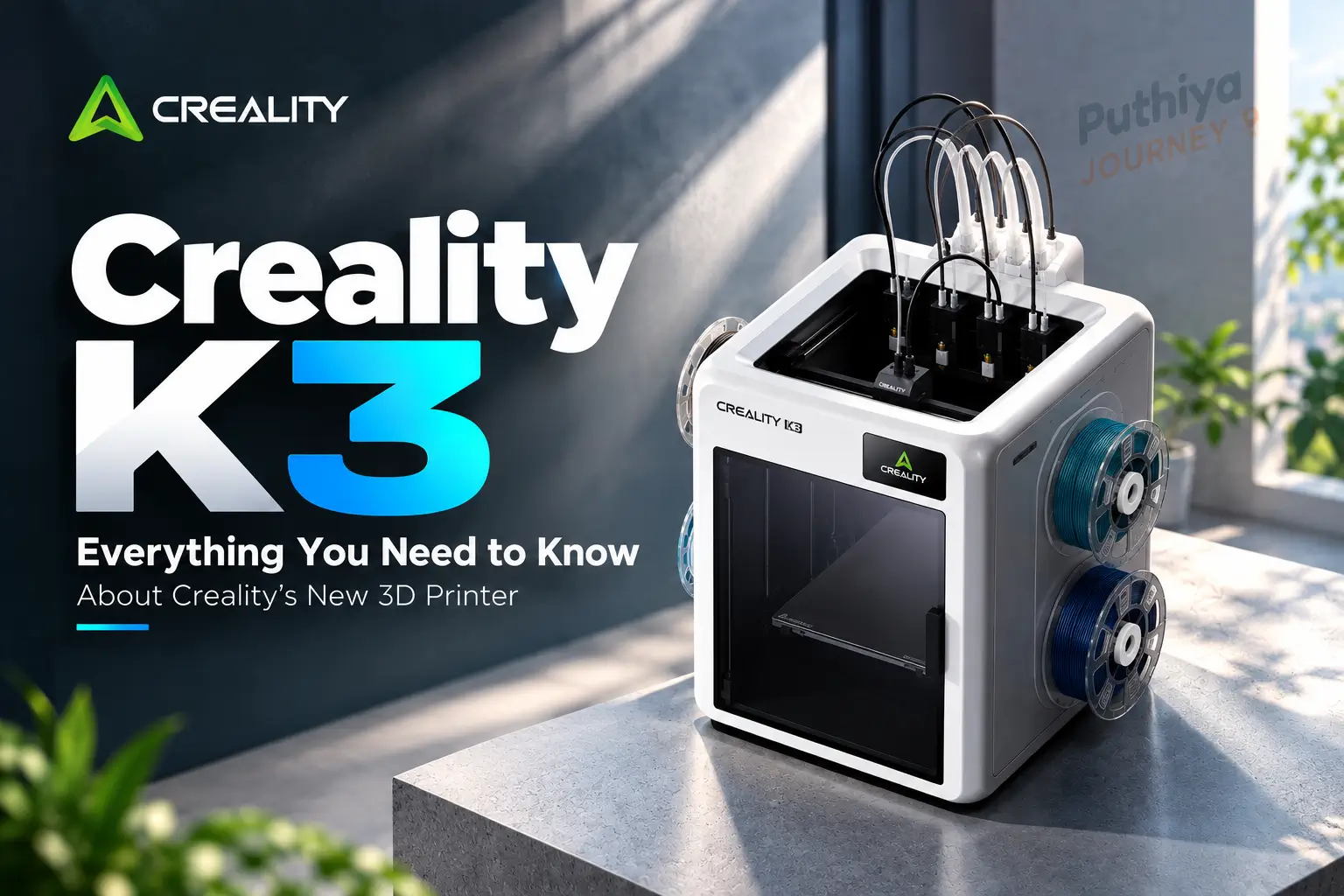
If you’ve been following the 3D printing world in 2026, the Creality K3 has been hard to miss. It’s Creality’s next flagship CoreXY machine — but what makes it genuinely different from a standard fast printer is a technology called KliTek™: an automatic system that switches between four independent nozzles in 4.8 seconds, enabling waste-free multicolor and multi-material printing without the filament-purging overhead that traditional systems carry.
In this article, we’ve compiled everything officially confirmed by Creality — specifications, how the nozzle system actually works, material support, pricing status, India availability, and honest answers about what’s still unknown. Whether you’re a maker thinking about pre-ordering or simply curious about where multicolor FDM printing is heading, this guide will give you a clear, grounded picture.
Quick Reference: Creality K3 Key Facts
| Feature | Details |
|---|---|
| Printer Name | Creality K3 |
| Manufacturer | Creality |
| Motion System | CoreXY |
| Build Volume | 260 × 260 × 260 mm |
| Max Print Speed | 500 mm/s (claimed) |
| Max Acceleration | 20,000 mm/s² (claimed) |
| Nozzle System | KliTek™ — 4 independent nozzles |
| Nozzle Change Time | 4.8 seconds (claimed) |
| Material Change Time | 15 seconds (claimed) |
| Filament Slots | 4 (built-in) |
| Hotend Max Temp | 300 °C |
| Heated Bed Max | 100 °C |
| Layer Height Range | 0.08–0.35 mm (on 0.4 mm nozzle) |
| Slicer | Creality Print 7.0 or newer; also OrcaSlicer |
| Connectivity | Wi-Fi (2.4 GHz), USB, Creality Cloud |
| Camera | 720p with lighting |
| Display | 3.97-inch touchscreen |
| Machine Dimensions | 420 × 482 × 536 mm |
| Weight | 22 kg |
| Expected Price | Below $900 USD (Creality’s stated expectation) |
| Pre-Order Status | Pre-orders opening mid-October 2026 (per Creality) |
| India Price / Availability | INR 109999 |
All specifications sourced from Creality’s official K3 product page and official FAQ blog.
What Is the Creality K3?
The Creality K3 is Creality’s next-generation flagship 3D printer, built around a CoreXY motion system and centred on a nozzle-changing technology called KliTek™. According to Creality, it is designed for multicolor and multi-material printing with a specific focus on efficiency — reducing print time and eliminating the material waste that is characteristic of conventional multicolor FDM approaches.
The K3 sits above the existing K2 series in Creality’s lineup. Where previous multicolor printers from Creality (and most competitors) work by purging the current filament before introducing a new color, the K3 takes a fundamentally different approach: each color or material lives in its own dedicated nozzle, and the printer physically switches to the correct nozzle when it needs to change.
This matters for three reasons: no purging means no wasted filament, no purge towers cluttering your print bed, and no pauses while material bleeds through. The practical implications are covered in depth below.
Creality K3 Full Specifications
The Creality K3’s full published specification sheet confirms the following details:
| Specification | Value |
|---|---|
| Build Volume | 260 × 260 × 260 mm |
| Printer Dimensions | 420 × 482 × 536 mm |
| Net Weight | 22 kg |
| Max Print Speed | 500 mm/s |
| Max Acceleration | 20,000 mm/s² |
| Layer Height | 0.08–0.35 mm (0.4 mm nozzle) |
| Hotend Max Temperature | 300 °C |
| Heated Bed Max Temperature | 100 °C |
| Extruder Type | Hardened steel gear direct drive, step-servo motor |
| Max Nozzles | 4 |
| Nozzle Change Time | 4.8 seconds (claimed) |
| Material Change Time | 15 seconds (claimed) |
| Nozzle Diameters Available | 0.2 mm, 0.4 mm, 0.6 mm, 0.8 mm |
| Filament Slots | 4 (built-in), 1.75 mm, 1 kg spools |
| Build Plate | PEI spring steel |
| Display | 3.97-inch touchscreen |
| Camera | 720p with lighting |
| Onboard Storage | 8 GB |
| Connectivity | 2.4 GHz Wi-Fi, USB drive, Creality Cloud |
| Sensor Count | 37 sensors |
| Slicer | Creality Print 7.0 or newer; OrcaSlicer compatible |
| Root Access | Available out of the box |
| Firmware | Klipper-based (open-source release in phases) |
| Rated Power | 480 W at 100–127 V / 950 W at 200–240 V |
Note for Indian buyers: Indian power supply runs at 220–240 V, which aligns with the 950 W power rating listed above. No adapter should be needed for voltage, but verifying the plug standard with your local Creality distributor before purchase is advisable.
The KliTek™ Nozzle-Changing System: How It Actually Works
This is the heart of the Creality K3, and it’s worth understanding properly — because it is technically different from what most people picture when they hear “tool changer.”
What KliTek™ Changes — and What It Doesn’t
In a traditional FDM tool changer (like the Prusa XL), the printer physically docks and undocks entire tool heads — each with its own motor, hotend, extruder, and wiring. That system is powerful but adds significant mechanical complexity and weight.
KliTek™ works differently. Rather than swapping entire assemblies, the K3 changes nozzles — just the nozzle tip and its associated hotend — within a single carriage system. According to Creality, each of the four nozzle units is independently heated and independently managed.
According to Creality’s official FAQ, KliTek™ features intelligent nozzle preheating while docked, paired with precise temperature control and filament retraction to prevent filament from oozing and stringing during the transition.
The Numbers Behind It
Creality states that the K3 performs a nozzle change in 4.8 seconds and completes a full color or material change (including the nozzle swap and filament handoff) in 15 seconds. Creality also reports that the system has been tested through over 800,000 high-speed nozzle changes, with positional accuracy deviation along XYZ axes remaining under 25 μm.
The 25 μm deviation figure matters in practice. When a printer switches nozzles and resumes printing, even a small positional error shows up as a visible seam or misalignment. Creality claims that at 25 μm, this is below the threshold of visible layer-line error on most prints.
Why This Is Different from Purge-Based Multicolor Printers
Most multicolor FDM printers — including many AMS-style systems — work by loading the next color’s filament through the same single nozzle, purging the previous color into a waste block or purge tower until the new color runs clean. Depending on the color transition, this can waste anywhere from a few grams to tens of grams of filament per change, and it adds time.
With four dedicated nozzles on the K3, each color or material stays in its own nozzle path. Creality says this results in waste-free color transitions, because there is no mixed-filament purge phase.
In other words: the K3 doesn’t purge. It simply lifts to the correct nozzle and continues. For prints with frequent color changes across many layers, this can represent a significant time and material saving compared to purge-based systems.
Mixing Nozzle Sizes: A Genuinely Useful Feature
One capability of the K3 that deserves separate attention is the ability to mix nozzle diameters within a single print.
According to Creality, mixing and matching nozzle sizes is a core feature of the K3. The printer ships with a set of standard 0.4 mm nozzles, and a separate multi-nozzle kit containing one each of 0.2 mm, 0.4 mm, 0.6 mm, and 0.8 mm nozzles will be available for purchase after launch.
Why does this matter? In practical 3D printing, finer nozzles produce better surface detail but print slowly; wider nozzles deposit more material per pass and print faster but with less surface resolution. On a single-nozzle printer, you pick one and live with the trade-off for the entire print.
On the K3, you can — in theory — assign a 0.2 mm nozzle to exterior walls and fine details while a 0.8 mm nozzle handles infill and structural mass. The result is a print that looks like a 0.2 mm nozzle job but completes significantly faster because the bulk of the material was deposited at high flow rate.
Creality notes an important caveat: different nozzle sizes cannot simply be combined arbitrarily. Each nozzle diameter pairing is custom-tuned to work together within the same print on the K3 — pressure advance and flow control are specifically calibrated per combination, not left as a user variable.
Multicolor and Multi-Material Printing on the K3
According to Creality, the K3 supports combining different materials — such as PLA, PETG, and TPU — within a single print, using its four independent nozzle channels.
This is meaningful for functional printing. A common real-world use case is a rigid structural part with a flexible grip, seal, or protective bumper — materials that cannot be combined through a purge-based multicolor system because they require different temperatures and may not bond cleanly through a shared nozzle path.
CMYK Color Approach
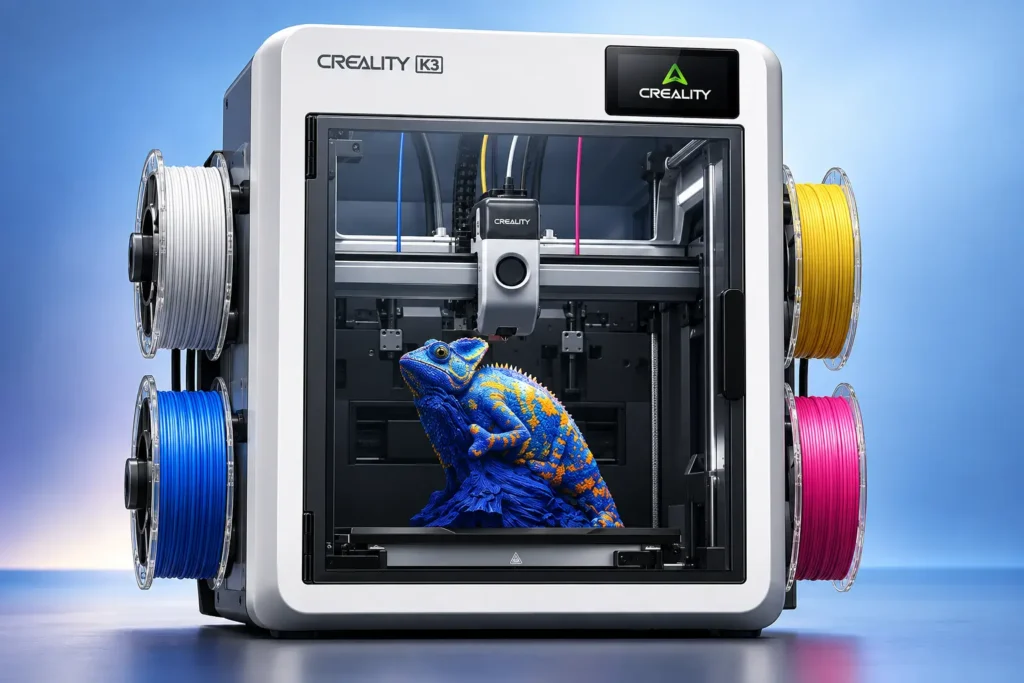
Out of the box, the K3 features four built-in spool slots and four nozzles for waste-free four-color printing. In addition, users can leverage CMYK color layering to unlock more colors and richer shades. With an additional CFS Hub, the K3 can be connected to Creality’s CFS (Creality Filament System) for expanded color options beyond four.
The CMYK approach is worth understanding. Rather than stocking 12 different colored filaments, CMYK layering lets you combine cyan, magenta, yellow, and black spools to achieve a broader palette — similar in principle to how inkjet printers work. Creality’s slicer handles the color decomposition and nozzle assignment automatically.
TPU and Flexible Filament Support
One of the specific performance claims Creality makes for the K3 involves TPU printing, and the numbers are notable.
According to Creality, the K3 supports printing 95A Shore hardness TPU right out of the box. Softer TPU variants — such as TPU 90A and 85A — can be supported when equipped with an optional multi-material kit.
Creality’s own laboratory data states the K3 achieved a TPU throughput of 15 mm³/s with TPU 95A, while Creality classifies other systems at 2 to 3 mm³/s for the same material. If this claim holds up in independent testing, it would represent a substantial practical advantage for anyone printing flexible functional parts. TPU is notoriously difficult to print fast because of its elastic behaviour in the filament path — the S-Drive feed system Creality developed for the K3 is specifically designed to manage this.
Important context: These throughput figures come from Creality’s own laboratory. Independent verification from reviewers and makers will be necessary to establish how these numbers translate to real-world printing conditions at various speeds, layer heights, and ambient temperatures.
Speed and What It Means in Practice
Creality advertises a maximum print speed of 500 mm/s for the K3. This is a number worth understanding in context.
Maximum advertised print speed is a ceiling, not a typical operating speed. In real-world 3D printing, the speed a printer actually runs at during a given job depends on:
- The model’s geometry (tight curves, small features, and overhangs require slower speeds)
- The filament material (PETG, ABS, and TPU print at lower speeds than fast PLA profiles)
- The layer height and nozzle diameter
- Print quality settings (the faster you go, the more you sacrifice surface smoothness)
- Acceleration and deceleration behaviour in corners
The K3’s listed acceleration is 20,000 mm/s², which is relevant because on small-to-medium prints, acceleration and deceleration cycles dominate print time — not peak travel speed.
A practical way to think about it: a 500 mm/s capable printer will complete real prints meaningfully faster than a 200 mm/s printer on the same model, but the actual time reduction depends heavily on what you’re printing. Creality’s own benchmarks should be treated as best-case comparisons. Independent reviews after launch will give a clearer picture of everyday performance.
Build Volume: What You Can Print
The Creality K3 has a build volume of 260 × 260 × 260 mm, forming a near-perfect cube.
This is a functional mid-range build volume. It’s large enough for most hobby, maker, and prototyping use cases — phone stands, mechanical parts, figurines, enclosures, tool holders, engineering test pieces, and functional assemblies. It is not a large-format machine. If your primary need is printing single-piece objects larger than 260 mm in any dimension, the K3 is not designed for that.
Compared to the K2 Plus and similar large-format machines, the K3 is clearly not competing on build volume. Its value proposition is multicolor efficiency, material flexibility, and nozzle-size mixing within that volume — not raw size.
For context, 260 mm is roughly the diagonal of an A4 sheet of paper. Most desktop functional parts, action figures, cosplay accessories, and engineering prototypes fall comfortably within this envelope.
Supported Materials
Based on Creality’s official statements, the K3 supports the following materials:
Out of the box:
- PLA
- PETG
- TPU 95A
With optional multi-material kit:
- TPU 90A
- TPU 85A (and potentially softer grades — Creality’s campaign page references 80A, though official documentation states 85A as the base)
With optional top cover (for thermal stability):
- ABS
- ASA
Note: The requirement for a top cover for ABS and ASA printing is worth flagging for buyers who specifically need engineering materials. The base K3 does not include a heated enclosure. This is not unusual for printers in this price range, but it should factor into your buying decision if engineering-grade materials are your priority.
Sensors, Monitoring, and Automation
The K3 includes a network of 37 sensors monitoring the printing process and tool changes. Creality’s specification sheet lists a range of automated detection functions including:
- Nozzle-offset calibration
- Flow calibration
- Foreign-object detection
- Air-print detection
- Spaghetti detection (detecting print failures where filament spaghettis off the bed)
- Hotend-presence detection
- Clog detection
- Runout and tangle detection
- Build-plate detection
The K3 also supports fully automated loading and unloading of filaments.
The integrated 720p camera with lighting enables remote monitoring of the print job via Creality Cloud.
Software: Creality Print 7.0 and Open Access
According to Creality, Creality Print 7.0 or later is fully optimised for the K3, including the multi-nozzle feature, with ongoing updates. In addition, the K3 is compatible with OrcaSlicer, and root access is available out of the box for advanced users.
Creality K3’s Klipper-based firmware will be released in phases, and root access is available from day one for experienced users who want to customise their profiles.
This is a meaningful point for experienced makers. Root access and OrcaSlicer compatibility mean the K3 is not a closed ecosystem — users familiar with Klipper can tune their own profiles rather than being locked into Creality’s slicer defaults.
Creality K3 Price, Release Date and India Availability
Creality K3 Price
The Creality K3 is priced at $849 USD on Creality’s official US store. That is below the “under $900” figure Creality gave earlier. The listing is on the official Creality store.
In India, the K3 is priced at ₹109,999 (MRP, inclusive of all taxes) on WOL3D. That is noticeably higher than a straight dollar conversion (about ₹75,000–₹81,000) because it includes import duties, GST and distributor margins.
| Region | Price | Seller |
|---|---|---|
| USA / Global | $849 | Creality Official Store |
| India | ₹109,999 (incl. all taxes) | WOL3D |
Creality K3 Release Date and Pre-Order
The K3 is now available to pre-order. It has not started shipping yet.
- Unveiled: shown publicly on 30 May 2026, with the full product page live in September 2026
- Pre-orders: open now on the official Creality store
- Global shipping (Creality store): estimated from 2 November 2026
- India dispatch (WOL3D): after 90 days from the date of purchase
The Creality store also lists a 14-day return and refund window, up to 12 months of warranty, and lifetime customer support.
Creality K3 Price in India and India Release
The Creality K3 can now be pre-ordered in India through WOL3D at ₹109,999 (MRP, inclusive of all taxes).
Order the Creality K3 in India from WOL3D
Key details for Indian buyers:
- Price: ₹109,999, with GST and all taxes included
- Status: pre-order only. WOL3D states that dispatch happens after 90 days from the purchase date, so an order placed now would arrive around January 2027.
- Delivery: WOL3D offers delivery across India.
Buying advice:
- Ordering from an Indian seller is generally better than personal import. You avoid customs delays and surprise duties, and warranty and support are easier to get.
- Since this is a 90-day pre-order, confirm the dispatch timeline, warranty terms and refund policy with the seller before paying.
- Check creality.com/resellers for other authorised Indian sellers as they get added. Prices and delivery times may vary between sellers.
Creality K3 Key Specifications
- Multi-color printing: 4-color printing with 4.8-second nozzle switching and very little purge waste
- Speed: up to 500 mm/s high-speed printing
- Build volume: 260 × 260 × 260 mm
- Materials: multi-material support, including TPU
- Temperatures: 300°C nozzle and 100°C heated bed
- Smart features: AI camera and 37 sensors
- Accuracy: XYZ repositioning of ≤25 µm after nozzle changes
Is the Creality K3 Worth Buying?
The K3 targets people who want fast multi-color and multi-material printing without the heavy filament waste of traditional purge-based systems. At $849 globally it is competitively priced. At ₹109,999 in India it is a premium purchase, so it suits serious hobbyists, small businesses and print farms more than beginners.
Puthiya Journey will keep this page updated as new India pricing, stock and dispatch details are confirmed
Creality K3 Plus, K3 Max, K3 Pro, and K3 Combo: What’s Actually Confirmed?
Several variant names — K3 Plus, K3 Max, K3 Pro, K3 Combo — appear in online searches. Here is a clear-eyed look at each based on available information:
Creality K3 Plus: As of October 2026, Creality has not officially announced a product called the K3 Plus. The K2 Plus exists as a separate, previously released machine. There is no verified official announcement of a K3 Plus variant.
Creality K3 Max: Creality has not officially announced a product called the K3 Max. Note that Creality has a K1 Max in its lineup, but a K3 Max has not been announced as of this writing.
Creality K3 Pro: Creality has not officially announced a product called the K3 Pro.
Creality K3 Combo: This term appears in searches, likely because Creality has historically offered “Combo” packages for printers bundled with the CFS (Creality Filament System). Creality’s FAQ confirms that the K3 can be connected to CFS with an additional CFS Hub for expanded color options. Whether a formal K3 Combo SKU will be released is not yet officially confirmed.
Bottom line: The only officially confirmed product is the Creality K3 (base model). Any other variant name is either a search term without an official product behind it, or a future announcement that has not yet been made. Do not purchase or pre-order based on an unofficial variant name.
Who Is the Creality K3 For?
Based on the confirmed specifications and capabilities, the K3 makes most sense for:
Multicolor and multi-material makers — If printing in multiple colors or combining rigid and flexible materials is central to your work, the K3’s waste-free approach is a meaningful upgrade over purge-based systems. Engineers printing functional assemblies, cosplay prop makers, figurine painters, and product prototypers fall into this group.
Productive hobbyists and small studios — The combination of fast CoreXY movement and 15-second material changes means the K3 is optimised for throughput on complex prints. If you run long multicolor prints regularly, the reduction in waste filament and purge time compounds over a large number of prints.
Advanced users comfortable with Klipper — Root access, OrcaSlicer support, and phased open-source firmware releases make the K3 attractive to experienced makers who want to tune their machine beyond factory defaults.
Users who want nozzle-size flexibility — The ability to mix 0.2 mm and 0.8 mm nozzles in the same print is not available on most consumer FDM printers. This is valuable for users who frequently need both fine-detail exterior work and fast infill.
Who Should Probably Wait or Consider Alternatives?
Users on a tight budget — Below $900 USD (pre-import, pre-duty) is not a budget price point. If your primary prints are single-color functional parts, a K2 SE, Ender-3 V4, or comparable machine does that job at significantly lower cost.
Users who need a large build volume — 260 × 260 × 260 mm is a mid-range volume. If your use cases regularly require prints larger than this, the K2 Plus (with its larger build envelope) or similar large-format machines are better suited.
Users who need ABS/ASA printing without extra accessories — The base K3 does not include a heated enclosure. Printing ABS or ASA reliably requires the optional top cover, which adds cost.
Users who want a mature, extensively reviewed platform right now — The K3 is a brand-new design built around a novel nozzle-changing system. There will be a period after launch where real-world reliability, long-term nozzle-change durability, and edge-case material behaviour are still being assessed by the community. If you need a proven machine with years of user data behind it, waiting for independent reviews after launch is sensible.
Users who mostly print single-color — KliTek’s primary advantage is in multicolor and multi-material printing. If 95% of your prints are single-color, the K3’s unique capabilities don’t deliver their full value.
Creality K3 vs Traditional Multicolor 3D Printers
Understanding the K3’s approach requires comparing it to the two other main strategies for multicolor FDM printing.
Purge-Based AMS Systems
Most multicolor printers on the market — including Creality’s own K2 series with CFS — use a single nozzle and route different filaments through it sequentially. Every time the color changes, the previous filament is purged through the nozzle until the new color runs clean. This generates waste material (typically deposited into a purge tower or off-model) and takes time.
On complex multicolor models with hundreds of color transitions, purge material can add up to a significant fraction of the model’s own mass. Purge time adds meaningfully to total print duration.
K3 approach: No purge. Each color has its own nozzle. Change time is 4.8 seconds for the nozzle swap, 15 seconds total for a material change. Waste: none by design.
Full Tool Changers
A full tool changer (such as the Prusa XL) swaps entire print heads — motor, extruder, hotend, and nozzle together. This gives maximum flexibility (each tool can be completely different) but adds mechanical complexity, longer change times, and significant printer cost.
K3 approach: Lighter than a full tool changer. Only the nozzle assembly changes, not the entire head. This makes changes faster and the system mechanically simpler, though it means each nozzle channel shares parts of the same carriage rather than being fully independent.
The K3 occupies an interesting middle ground: faster and cheaper than a full tool changer, more efficient and less wasteful than a purge-based AMS system. Independent testing after launch will determine where the real-world trade-offs land.
Creality K3 Pros and Cons
Confirmed Advantages
- Waste-free nozzle-changing multicolor system (no purge towers)
- 4.8-second nozzle changes with claimed sub-25 μm positional accuracy
- Mix and match nozzle diameters (0.2, 0.4, 0.6, 0.8 mm) in a single print
- Strong TPU support including 95A out of the box, softer grades with optional kit
- Open root access and Klipper-based firmware from day one
- OrcaSlicer compatibility
- 37-sensor monitoring network
- Competitive price point (below $900 USD expected)
- CMYK color layering approach reduces filament SKU requirements
Known Limitations
- Build volume (260 × 260 × 260 mm) is mid-range, not large-format
- No heated enclosure on base model (ABS/ASA require optional top cover)
- Mixed nozzle sizes require Creality’s custom tuning — not a simple free-variable setting
- Multi-nozzle kit (0.2/0.4/0.6/0.8 mm) is a separate purchase, not included at launch
Currently Unknown (Not Confirmed Either Way)
- Real-world multicolor print quality from independent reviewers
- Long-term nozzle-change mechanism durability under daily use
- Final confirmed retail price (below $900 is Creality’s expectation, not a published final price)
- Shipping date beyond mid-October 2026 pre-order opening
- Indian pricing and availability
- K3 Combo, K3 Plus, K3 Max, or K3 Pro variants
Frequently Asked Questions
What is the Creality K3?
The Creality K3 is a CoreXY 3D printer from Creality featuring KliTek™ — an automatic nozzle-changing system with four independent nozzles. It is designed for waste-free multicolor and multi-material FDM printing, with nozzle changes completing in 4.8 seconds and full material changes in 15 seconds.
What is the build volume of the Creality K3?
The Creality K3 has a build volume of 260 × 260 × 260 mm, confirmed by Creality’s official product page.
How fast is the Creality K3?
Creality claims a maximum print speed of 500 mm/s and a maximum acceleration of 20,000 mm/s². In practice, actual print speed depends on the model, material, layer height, and quality settings. Maximum advertised speed is not a typical operating speed for most prints.
How does the Creality K3 nozzle-changing system work?
The K3 uses KliTek™, a system that switches between four independent nozzle assemblies, each maintained at its own temperature while docked. When a color or material change is needed, the printer moves to the correct nozzle and resumes printing without purging. This eliminates waste material and purge towers.
Does the Creality K3 support multicolor printing?
Yes. The K3 has four built-in filament slots and four independent nozzles, supporting up to four colors or materials simultaneously. CMYK color layering can expand the effective color range. An additional CFS Hub enables connection to Creality’s CFS system for more colors.
Can the Creality K3 print TPU?
Yes. The K3 supports TPU 95A out of the box. Softer variants such as TPU 90A and 85A require an optional multi-material kit. Creality claims a TPU throughput of 15 mm³/s with TPU 95A, which they compare to 2–3 mm³/s on conventional systems.
How much does the Creality K3 cost?
Creality has stated the K3 is expected to launch below $900 USD. This is Creality’s expectation — a final confirmed retail price has not been published as of October 2026. Indian pricing has not been officially announced.
When is the Creality K3 releasing?
Creality has confirmed pre-orders will open in mid-October 2026. A specific shipping date has not been officially confirmed.
Is the Creality K3 available in India?
As of October 2026, Creality has not officially announced Indian pricing or distribution for the K3. Indian buyers should monitor Creality’s official resellers page and authorised Indian 3D printing retailers.
Is there a Creality K3 Pre-order?
Yes — Creality has confirmed pre-orders will open in mid-October 2026. Check Creality’s official store at store.creality.com for the current status.
Is the Creality K3 Pro, K3 Max, or K3 Plus officially announced?
No. As of October 2026, Creality has only officially announced the base Creality K3. No K3 Pro, K3 Max, K3 Plus, or K3 Combo has been confirmed. These names appear in search queries but do not correspond to officially announced products.
What slicer does the Creality K3 use?
The Creality K3 is optimised for Creality Print 7.0 or newer, which includes full multi-nozzle support. It is also compatible with OrcaSlicer, and root access is available from day one for users who want to work with Klipper directly.
Final Verdict
The Creality K3 is a technically ambitious machine that addresses a real problem in consumer multicolor 3D printing: the filament waste and time overhead of purge-based systems. If KliTek™ performs in practice as Creality describes — 4.8-second nozzle swaps with sub-25 μm positional accuracy across hundreds of thousands of cycles — it is a meaningful engineering achievement for a sub-$900 printer.
What makes the K3 interesting is not just the nozzle-changing itself, but the combination of capabilities: waste-free multicolor, mixed nozzle diameters in the same print, genuine TPU performance, an open Klipper-based firmware, and OrcaSlicer compatibility. For advanced makers and small studios doing complex multicolor or multi-material work, those features together represent a genuinely different tool from anything currently in this price range.
What buyers should be honest with themselves about: the 260 mm build volume is mid-range (not large), the heated enclosure is optional (not included), and the K3 is a brand-new design with a novel mechanism that has not yet been through years of independent real-world testing. The first wave of independent reviews after the October 2026 launch will be important reading before committing.
For Indian buyers specifically — watch for official distributor announcements, factor in import duties and GST, and consider waiting for INR-priced listings through authorised channels rather than importing directly.
At Puthiya Journey, we’ll continue to track K3 updates, Indian availability, and hands-on community feedback as the printer reaches buyers. Stay tuned.